Walk-ins, booked and paid in a minute.
Make a booking for any artist at your studio. Show the QR code, the client pays on their phone, and the booking goes into the artist's calendar.
Sign up as a studio →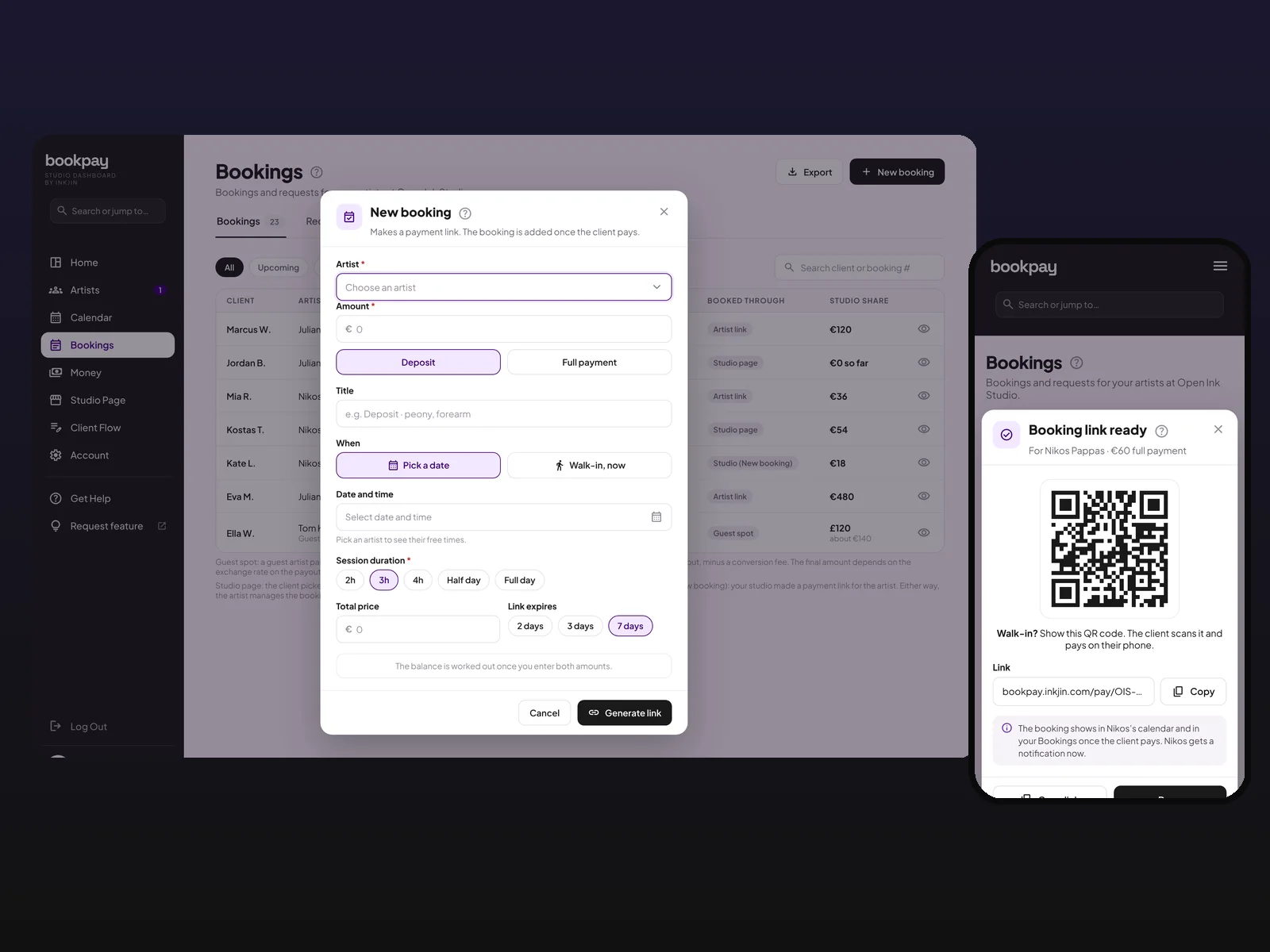
Any artist
Pick the artist. Their split, or direct payment, is applied automatically.
Walk-in or a date
Choose "Walk-in, now", or a date and time from the artist's free times.
Deposit or full payment
Ask for a deposit with the total price, or the full amount. Say how long the session is, from 2 hours to a full day.
QR code or link
Show the QR code at the counter, or copy the link and send it. Choose how long the link stays open: 2, 3 or 7 days.
Booked once paid
The booking is added to the artist's calendar and your Bookings once the client pays. The artist gets a notification.
Consent on the spot
Walk-ins scan a QR code and sign the consent form on their phone before the session.
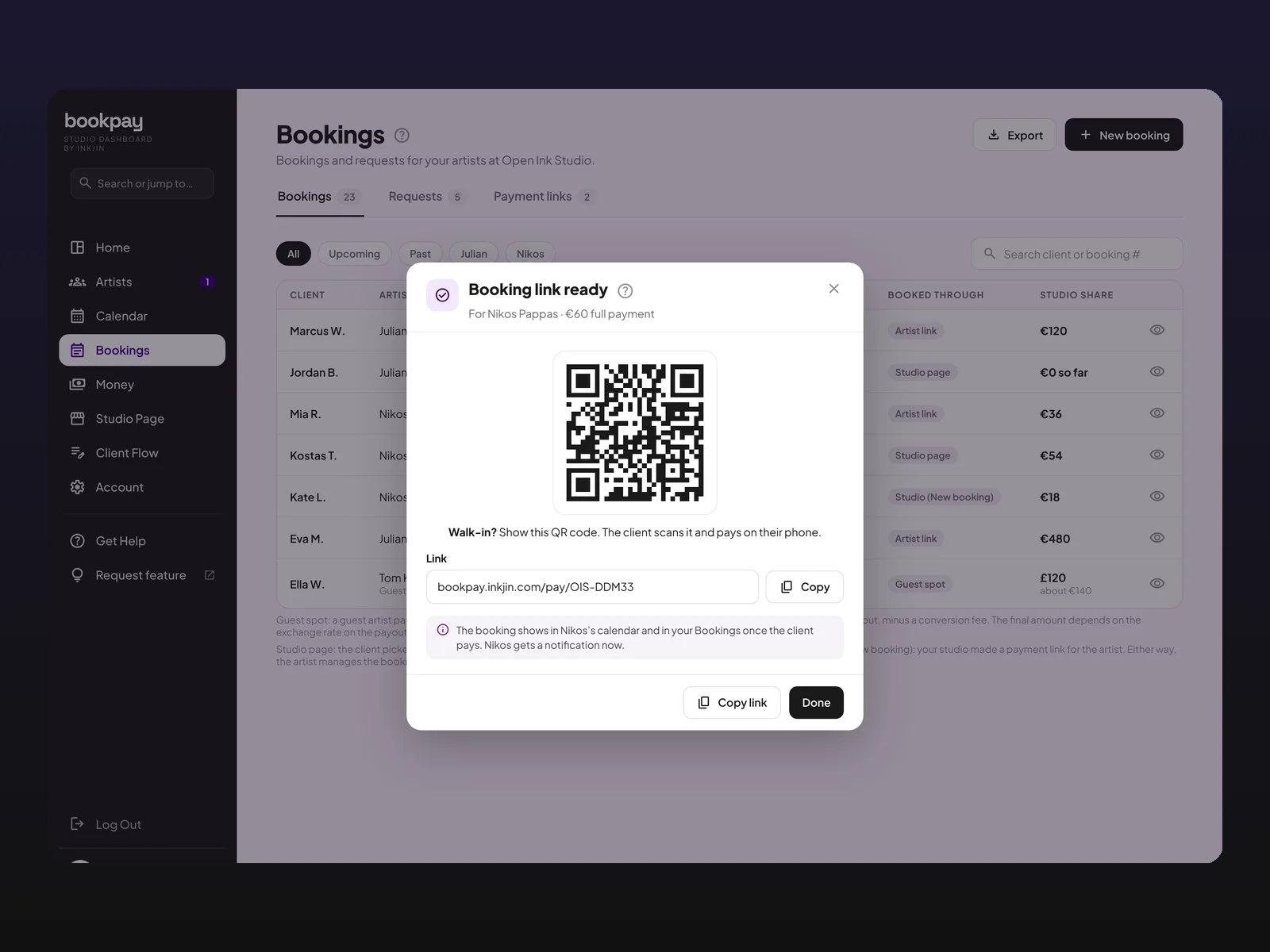
Show the QR code. They pay on their phone.
The client scans the code and pays with a card, Apple Pay, Google Pay or a local method. No app and no account. The booking shows in the artist's calendar and in your Bookings, marked "Studio (New booking)". Links you do not use expire after 2, 3 or 7 days.
One consent form for your studio.
Use a studio consent form for every session at your studio, whatever link it was booked through, including walk-ins and guest artists. Until you switch it on, your artists' own forms are used. If you let artists use their own form, an artist who has one uses it at your studio, and artists without one use yours.
It goes out 48 hours before the appointment, and walk-ins scan a QR code and sign on the spot. Set the age limit, and a parent or guardian signs for younger clients.
More about studio consent forms →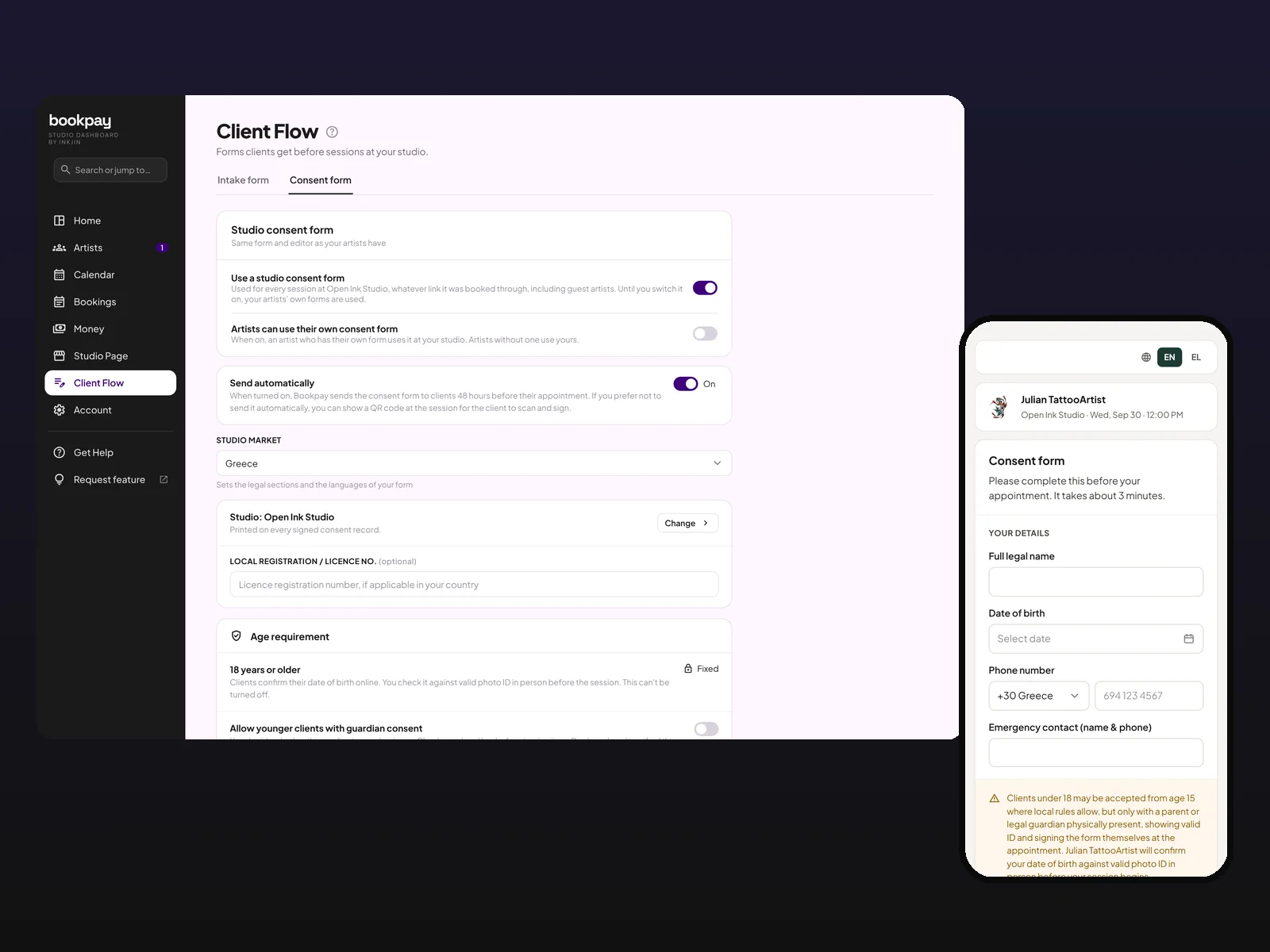
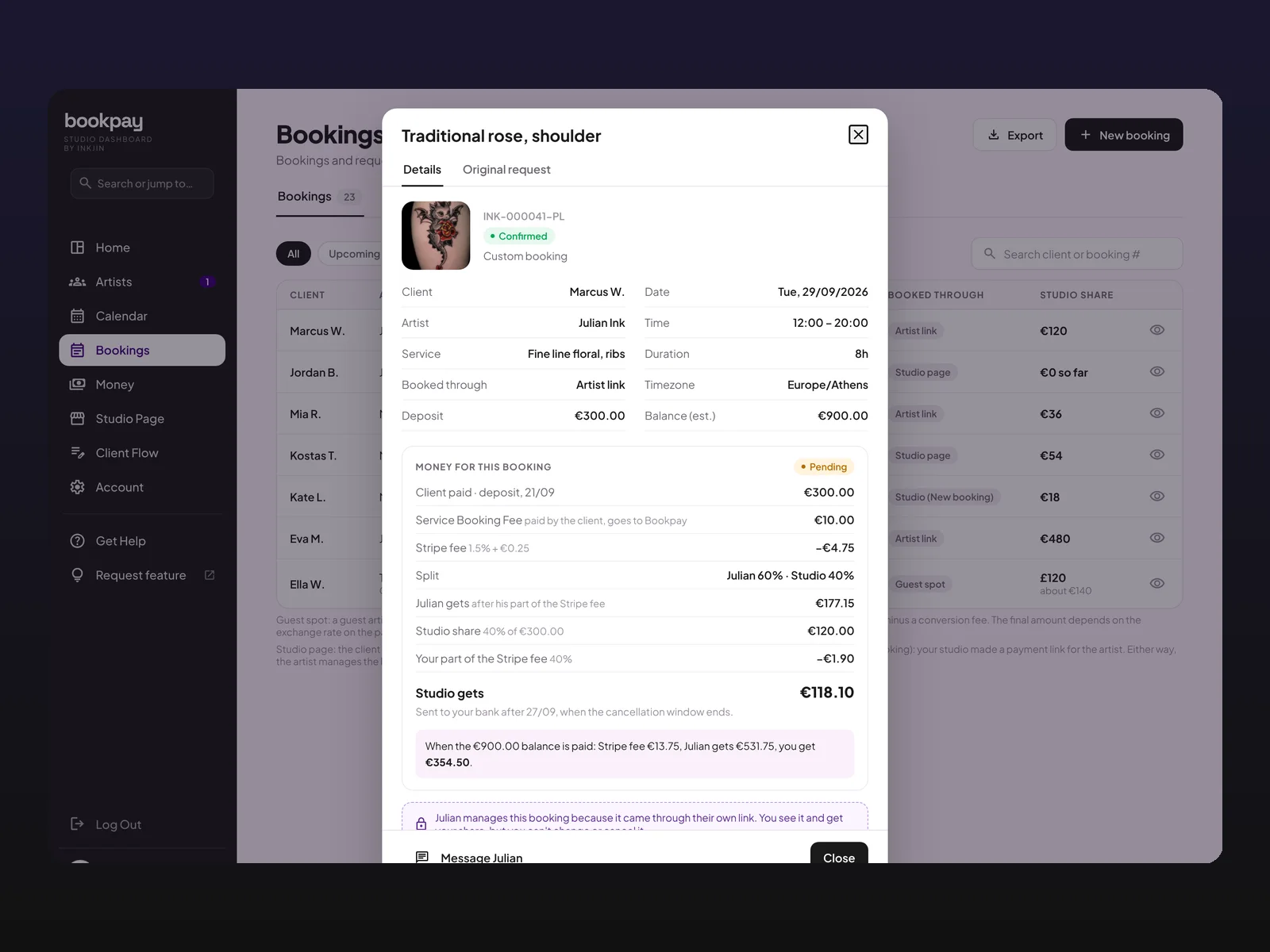
Take the balance at the desk.
When the session ends, open the booking and choose Request payment. Send the client a link for the balance, or record cash with their completion code. The split is applied, and the artist is told. Cash stays with the studio, and the artist's share shows under Money > To pay your artists until you mark it paid. This works for every artist on a revenue split, wherever the booking came from.
New Booking and Walk-ins FAQ
Who manages a booking the studio made?
Both of you. The artist gets a notification and manages it like any other booking. Your studio can also reschedule or cancel it, and collect the balance if the artist is on a revenue split. The split is the same as for any booking at your studio.
Does the walk-in need an account?
No. They scan the QR code and pay on their phone.
Can the client pay the full price up front?
Yes. Choose Full payment instead of Deposit.
What if the client does not pay?
Nothing is booked. The link expires after 2, 3 or 7 days, as you set.
Can artists book walk-ins themselves?
Yes. Artists make payment links and QR codes from their own dashboard too.
Every walk-in, on the record.
Book it, show the code, and the payment and the booking are recorded.
Sign up as a studio →