Aftercare that sends itself, and feedback you can use.
Your aftercare goes to every client right after their session. Two days later a one-click question tells you how it went.
Set up your aftercare →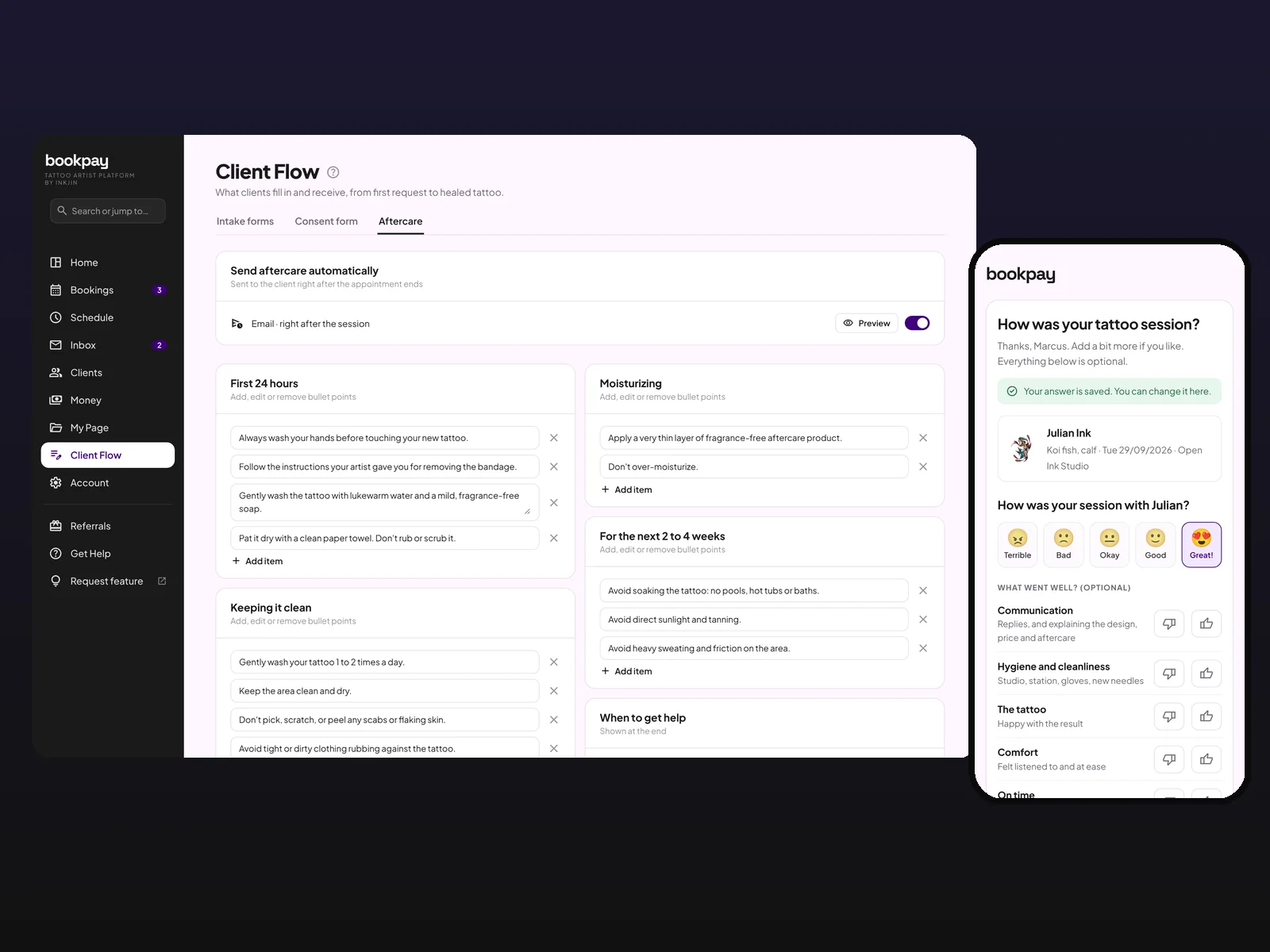
Sent right after the session
Aftercare goes to the client by email as soon as the appointment ends. Turn it off any time, or send it by hand from the booking.
In your words
Edit the points in each section: the first 24 hours, keeping it clean, moisturizing, the next 2 to 4 weeks, and when to get help.
Preview it
See the email exactly as your client gets it before you switch it on.
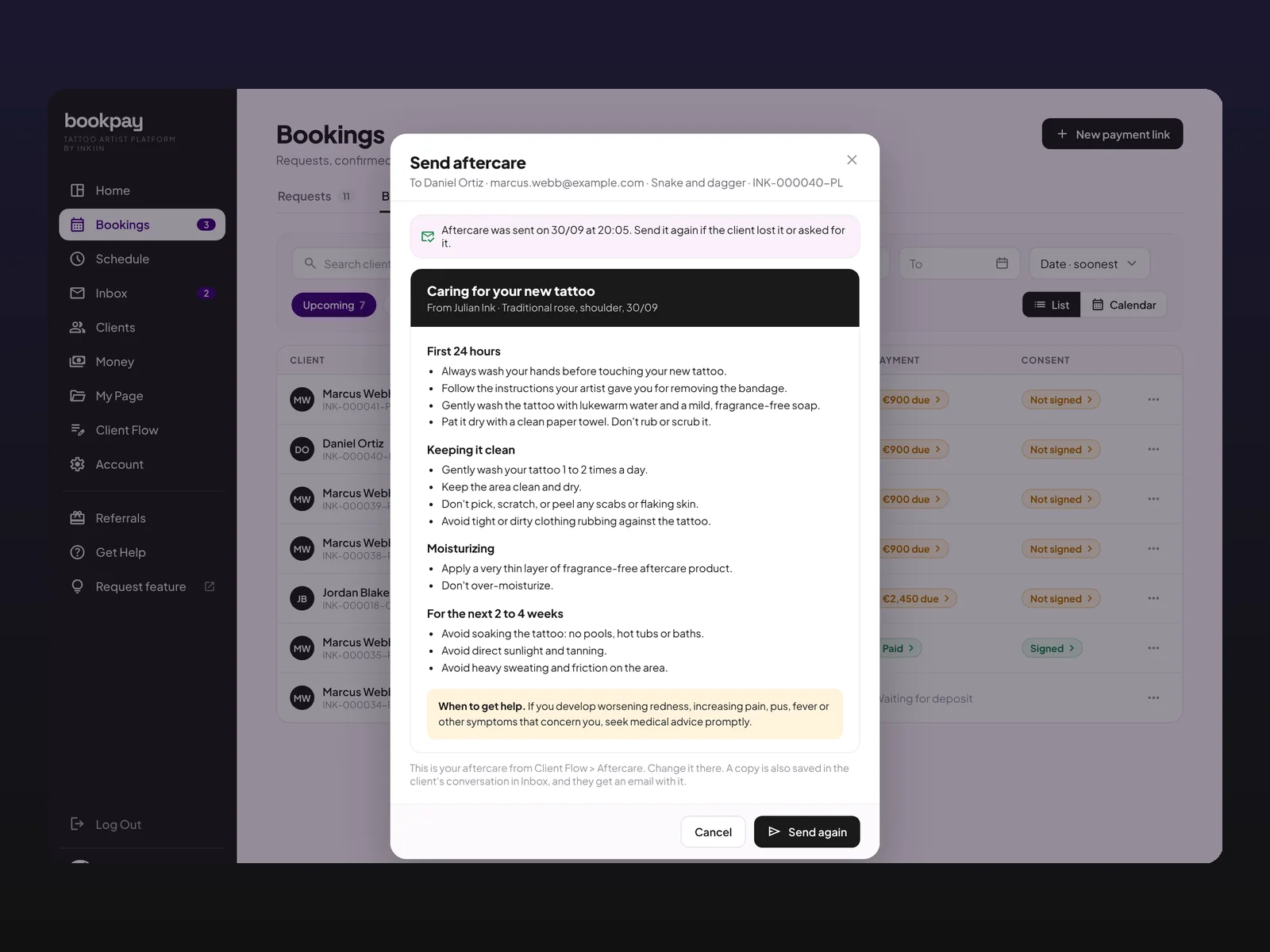
Send it again
Client lost the email? Send the aftercare again from the booking in one click.
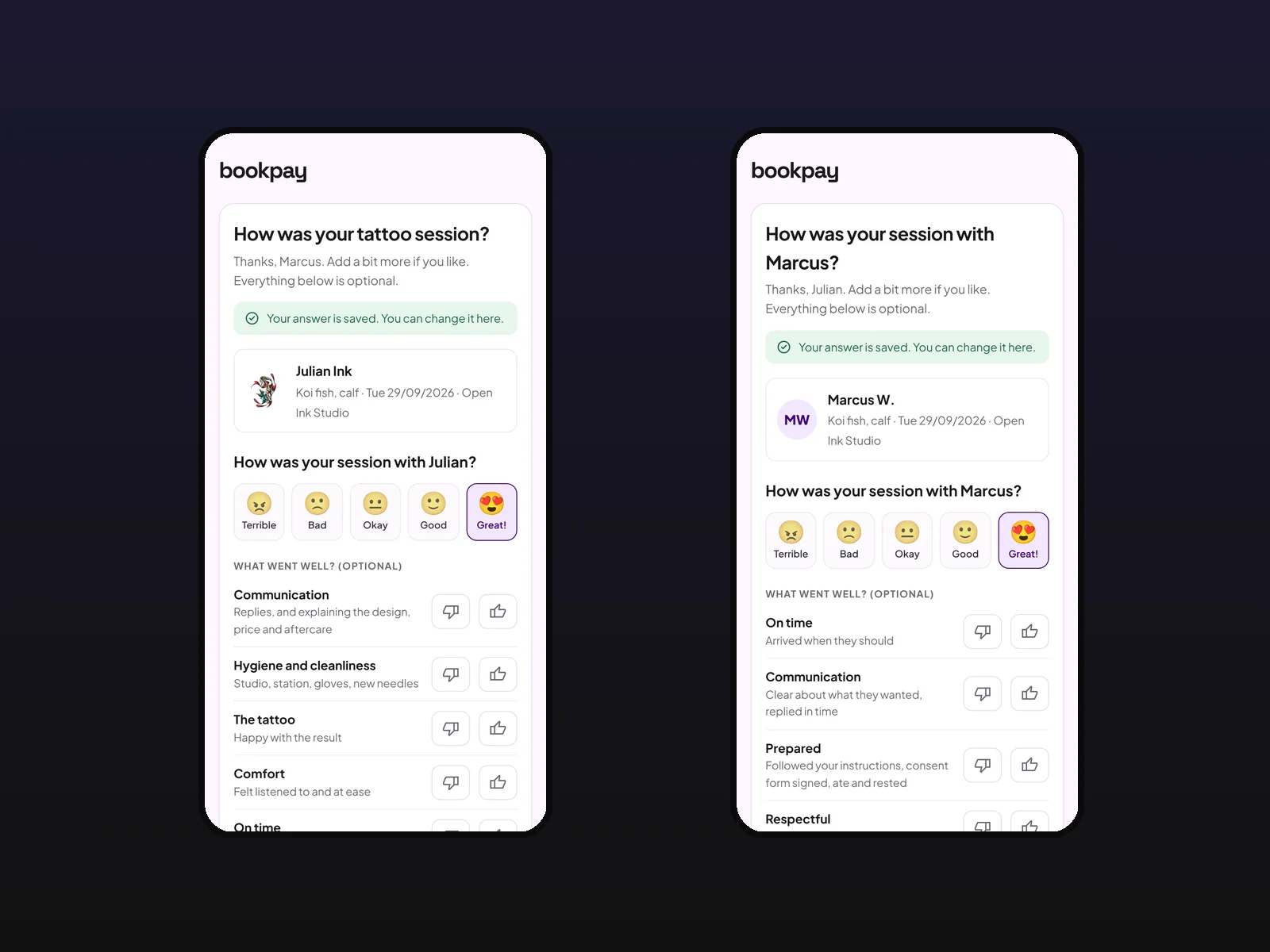
How was your session?
Two days after a completed session, clients get a one-click question: five faces from terrible to great. They can add what went well, what could be better, and a comment.
One click, no login
The answer is saved the moment they tap a face. They can change it later, and it never counts twice.
Private to you
You see the rating, the answers and the comment. Nothing is shown publicly.
Your view of the client
The day after a session you get a one-click question about the client too: on time, communication, prepared, respectful, paid as agreed. It is private. The client never sees it.
Not too often
Clients are asked at most once every 90 days, never for a cancelled or no-show booking, and the link works for 30 days.
Send it again in one click.
Open a booking and send the aftercare again. The client gets an email with the same points, and a copy stays in their conversation.
Two questions, one click each.
Clients rate their session with you. You rate the session with them. Faces from terrible to great, a few optional taps, and that is it.
Aftercare & Feedback FAQ
What do clients get after the session?
An email with your aftercare, right after the appointment ends. It is sent by email only, and a copy is saved in the client's conversation in your Inbox.
Can I send the aftercare myself?
Yes. Turn off automatic sending if you prefer, or send it again from the booking whenever a client asks for it.
Can I change the aftercare text?
Yes. Edit, add or remove the points in each section, and the text you show at the end about when to get help. Preview it before you save.
Do clients need to log in to give feedback?
No. They tap a face in the email and the answer is saved. They can then add more on a short page, all optional.
Who sees the feedback?
You see your clients' ratings, answers and comments. Nothing is shown publicly. Clients are also asked how booking and paying with Bookpay went, and only Bookpay sees that answer.
How often are clients asked?
Two days after a completed session, and at most once every 90 days for the same client. Cancelled and no-show bookings are skipped, and links work for 30 days.
Can I turn off the feedback email I get about clients?
Yes. In Account > Notifications, turn off "Ask me about each session".
Aftercare handled. Feedback in one click.
Set your aftercare once. Every client gets it, and you hear how it went.
Set up your aftercare →