A booking page that looks like you.
Pick Standard for a banner and your colors, or Custom for your own background image and a profile box styled your way. Same booking tools, your look.
Claim your link →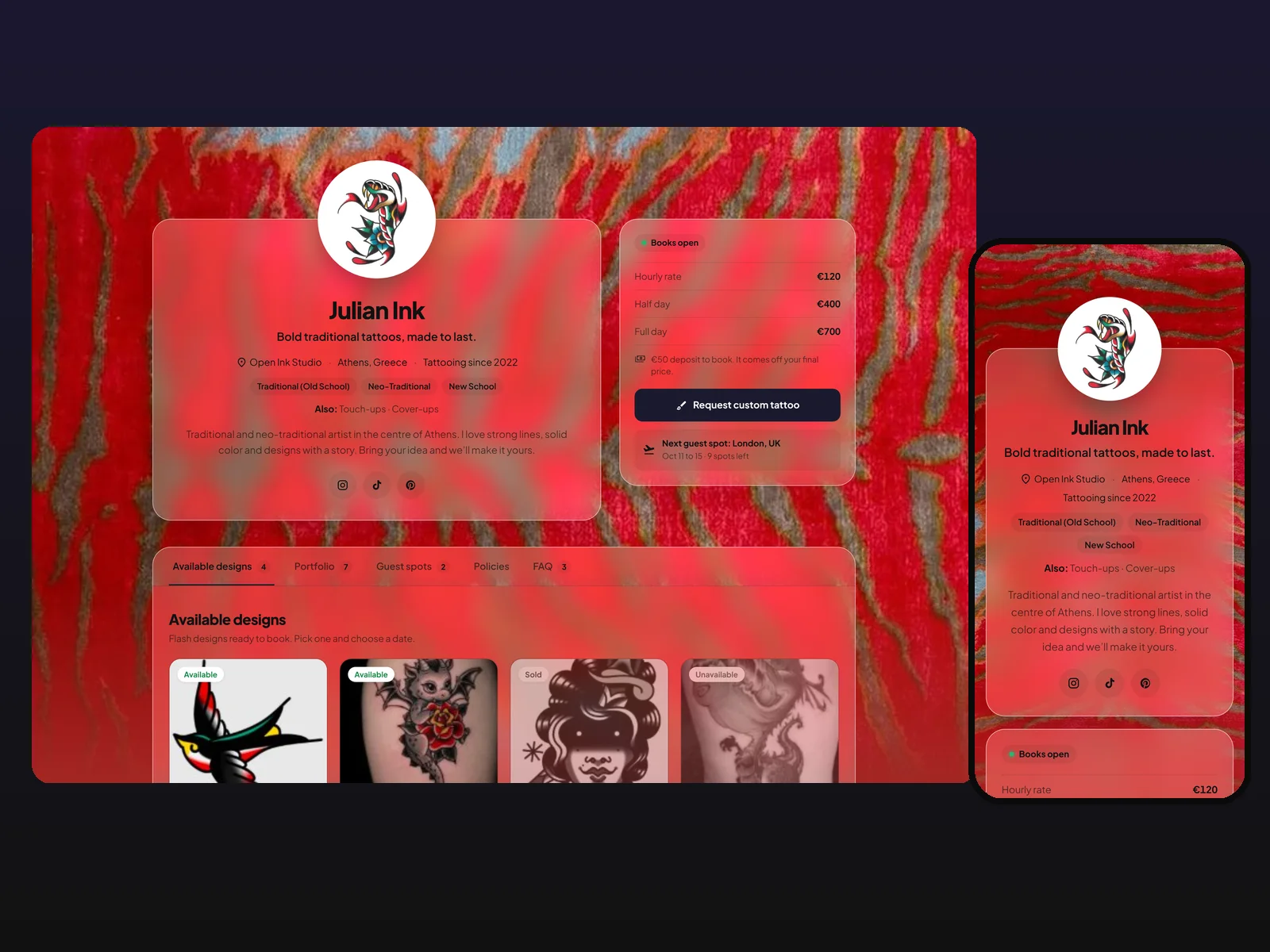
Your own background
Upload a background for desktop and, if you like, a separate one for phones. It fills the page behind your profile box and moves with the page as clients scroll.
A profile box you can style
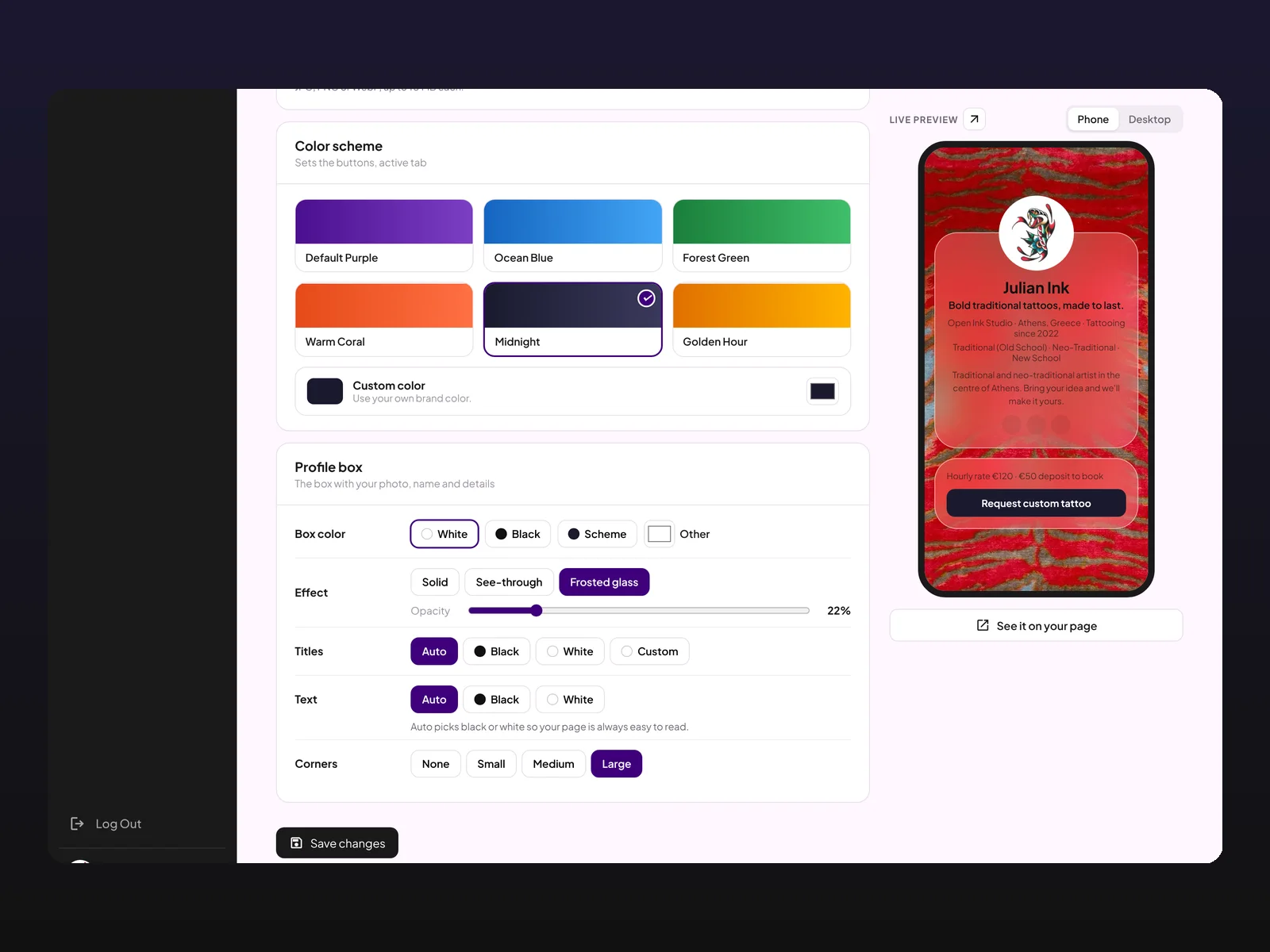
Choose the box color, make it solid, see-through or frosted glass, and set the opacity and the corners.
Readable by default
Titles and text pick black or white for the best contrast. If you override them and they get hard to read, the dashboard warns you.
Your colors
Buttons and the active tab follow your color scheme: pick one of six, or your own brand color.
Live preview
See your page on phone and desktop as you change settings, including changes you have not saved yet.
Switch any time
Each style keeps its own settings, so you can go between Standard and Custom without losing anything. Clients see the change when you save.
Your photo, large
Clients tap your photo to see it large, with buttons to copy your link or show a QR code.
Guest spot pages tooNew
Every guest spot page can have its own banner and color scheme.
Studios can too
Studios choose Standard or Custom on their studio page in the same way.
Style it your way.
Choose the box color and effect, the opacity, the title and text colors and the corners, and watch the preview update as you go.
Custom Booking Page FAQ
What is the difference between Standard and Custom?
Standard gives your page a header banner and your colors. Custom gives it your own background image and a profile box you style yourself. Everything clients can do on your page stays the same.
What size should my background image be?
For desktop, 16:9 or wider and at least 1920 × 1080, with the main subject away from the left and right edges. For phones, 9:16 and at least 1080 × 1920, with the main subject in the upper third. JPG, PNG or WebP, up to 10 MB each.
Do I need a separate image for phones?
No. The phone image is optional. If you skip it, your desktop image is cropped for phones.
Will my text be easy to read?
Titles and text are set to Auto, which picks black or white for the best contrast against your box. If you choose your own colors and they are hard to read, the dashboard tells you.
Can I switch back to Standard?
Yes, any time. Each style keeps its own settings, and clients see the change when you save.
Does a Custom page work the same for clients?
Yes. Clients see the same designs, portfolio, guest spots, policies and FAQ, and book the same way.