Your booking page. One link for everything.
A page for your work and how you book. Clients browse available flash, see your portfolio, and request custom work in a few taps.
Claim your link →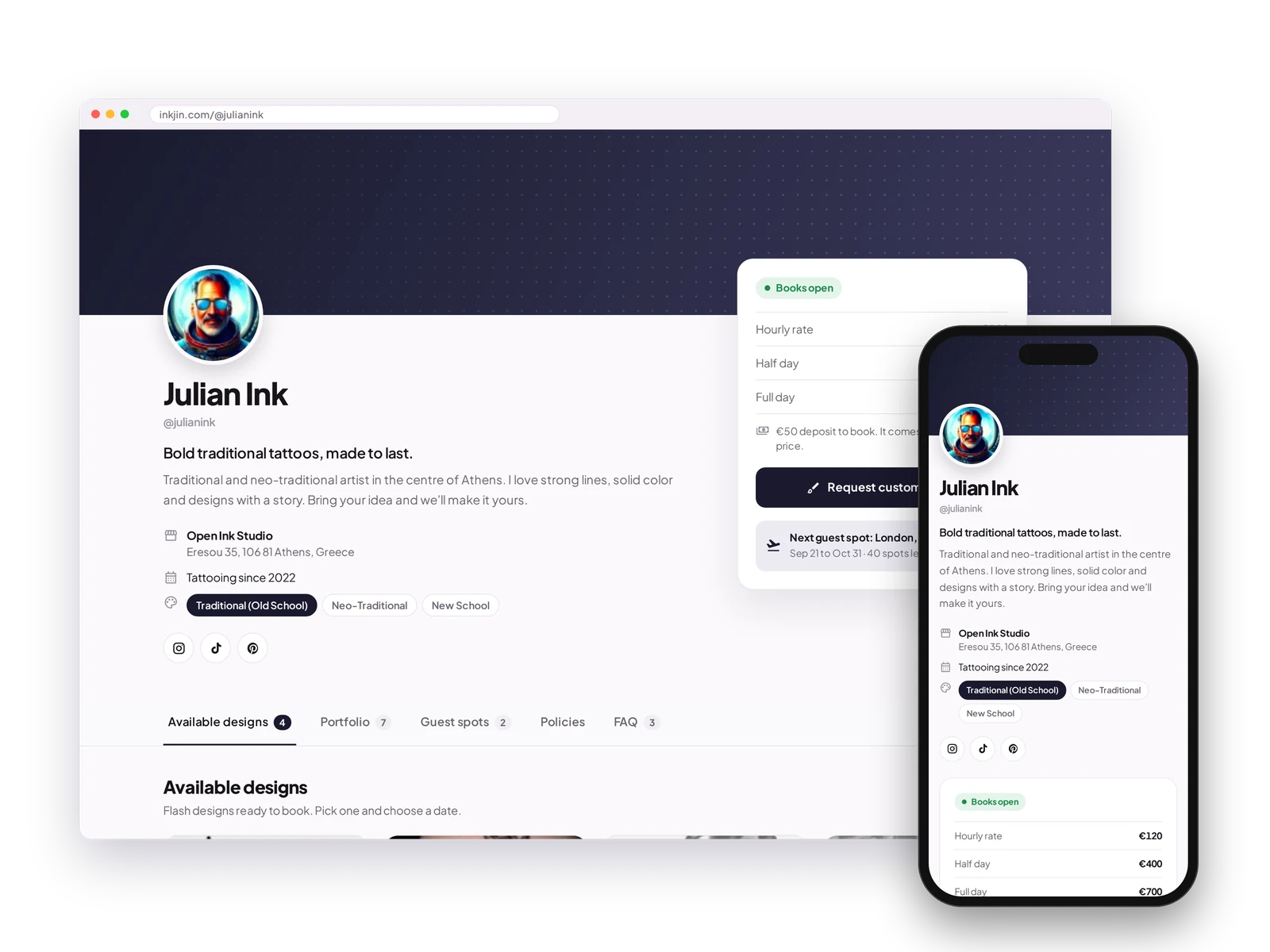
Your own link
Your booking link at inkjin.com/@yourname. Perfect for your Instagram bio, Linktree, or anywhere clients find you.
Flash gallery
Show your available designs and let clients book them instantly, with no back-and-forth.
Portfolio
Show your past work, sorted by style, placement or color.
Make it yours
Change your banner, name and colors, and add your guest spots, FAQ and policies.
Where you tattoo
Clients see the studio you work at, so they know where to find you.
Personal Booking Page FAQ
What does my booking page link look like?
inkjin.com/@yourname. Perfect for your Instagram bio or Linktree.
Can clients book flash directly from my page?
Yes. Clients can book available designs instantly, no back-and-forth needed.
Can I change how my page looks?
Yes. Change your banner, display name and colors to match your style.
Does my portfolio show on the same page?
Yes, in the order you choose.
Will my studio show on my page?
Yes. Clients see the studio you work at on your booking page.
One link, everywhere you show up.
Put your whole business behind one link. Drop it in your bio and let your clients do the rest.
Open your books →