Booking and payments built for tattoo artists, not the other way around.
One link replaces the DM back-and-forth. Clients pick a design or send a request, pay a deposit, and lock the session. You approve and get paid.
- 100% free for artists
- No monthly subscriptions
- No commission on your work
- Add your own cancellation policy
- Clients pay a small booking fee
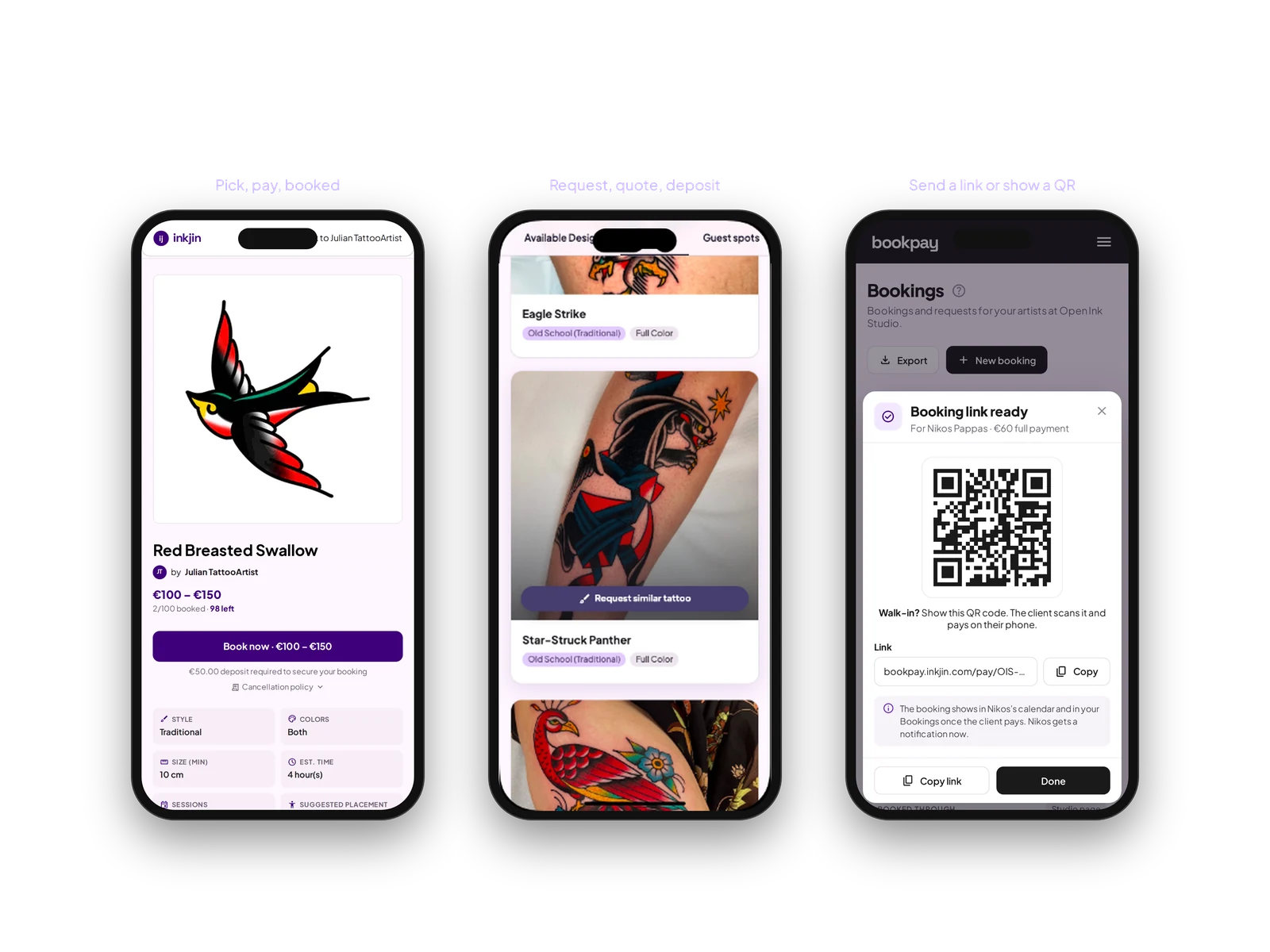
Three simple ways clients can book you.
Flash designs
Post the designs you are willing to do, with prices. Clients pick one, pay the deposit, and it is booked. No more quoting the same piece over and over.
Custom work
They tell you what they want, their budget, and send references. You send back a price and your next free dates. Take the ones that make sense. Skip the ones that do not.
Payment links
Already booked someone on Instagram, by text, or in the shop? Send them a link or show a QR code. They pay, and the booking shows up in Bookpay with a proper record, deposit now or the balance later.
No commission, no subscription.
Money goes straight to your bank account through Stripe. You set the cancellation window, and you are paid automatically once it closes. Every booking shows exactly what the client paid, the Stripe fee, and what you get.
Your money →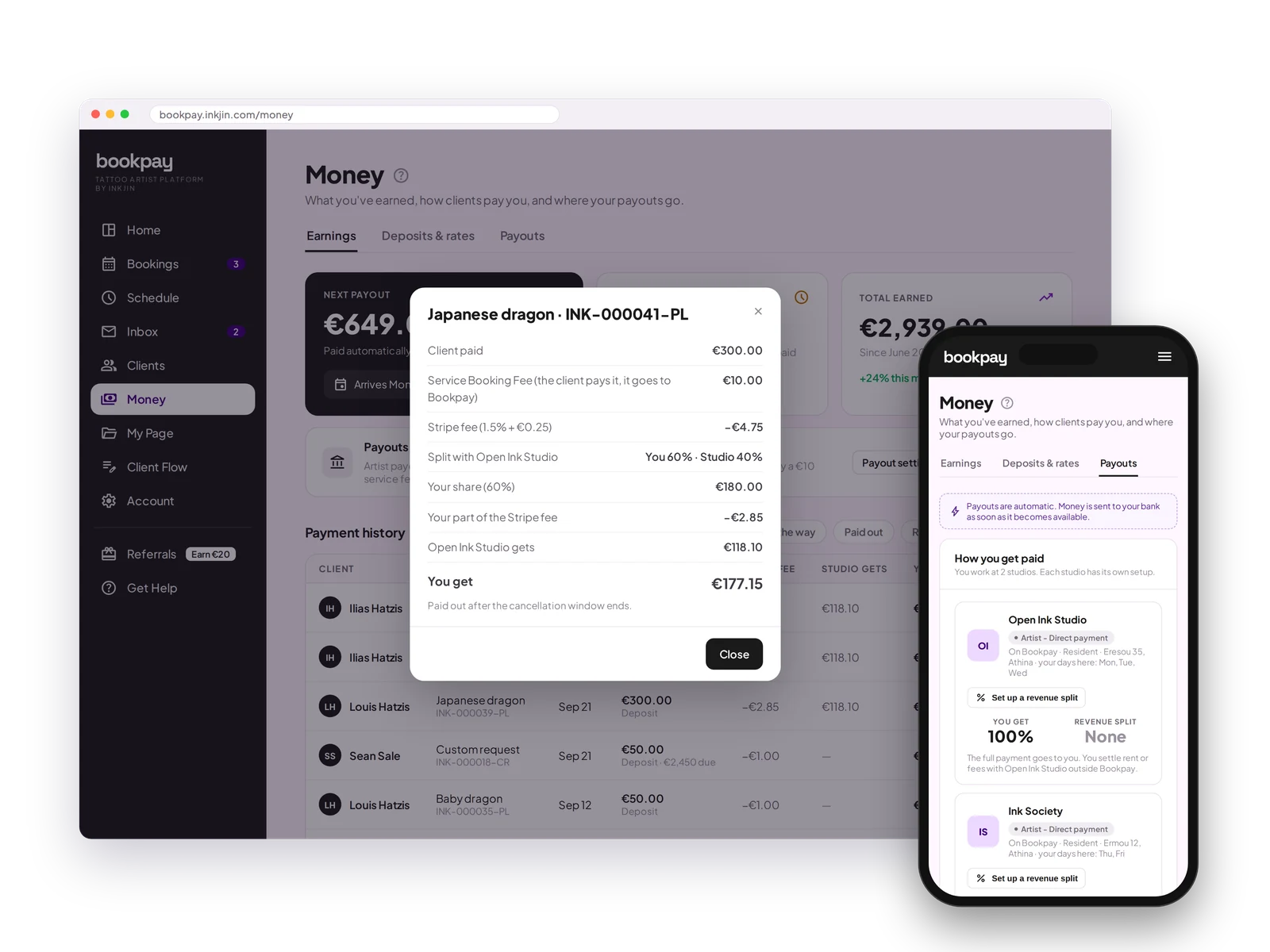
A page that answers everything about your work.
Put up your portfolio, available flash, rates, deposit rules and policies, guest spot dates, and the things clients always ask. Import from Instagram or upload yourself. Update it whenever. Most of the back-and-forth disappears because the answers are already there.
Your booking page →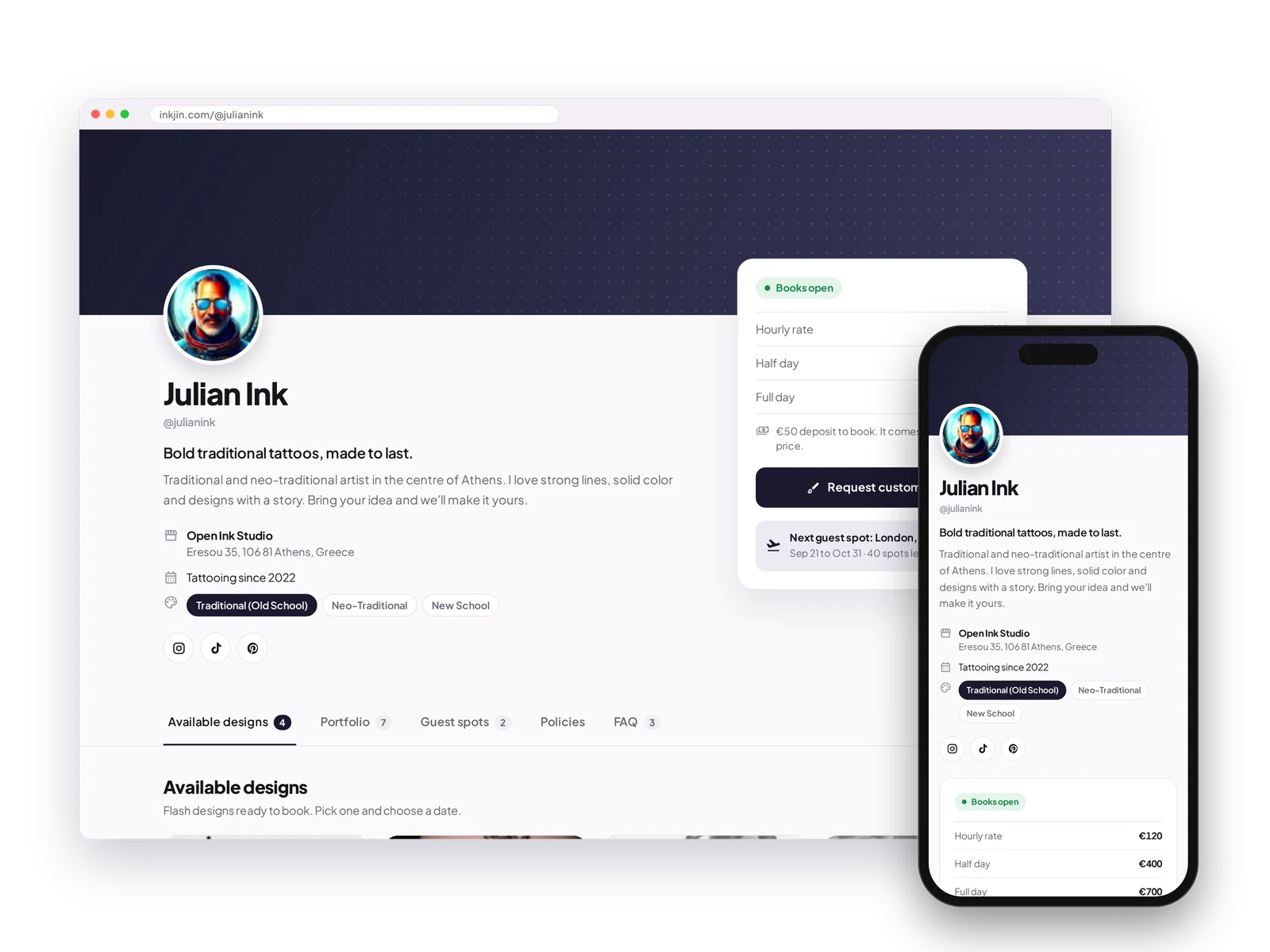
Your calendar. Your rules.
Taking new bookings? Turn it on. Need a break? Turn it off and clients join your waitlist instead of disappearing. Manual approval or auto-book, your choice. See your day, week or month at a glance, block time whenever you need to, and work at two studios with the right days at each.
Your calendar →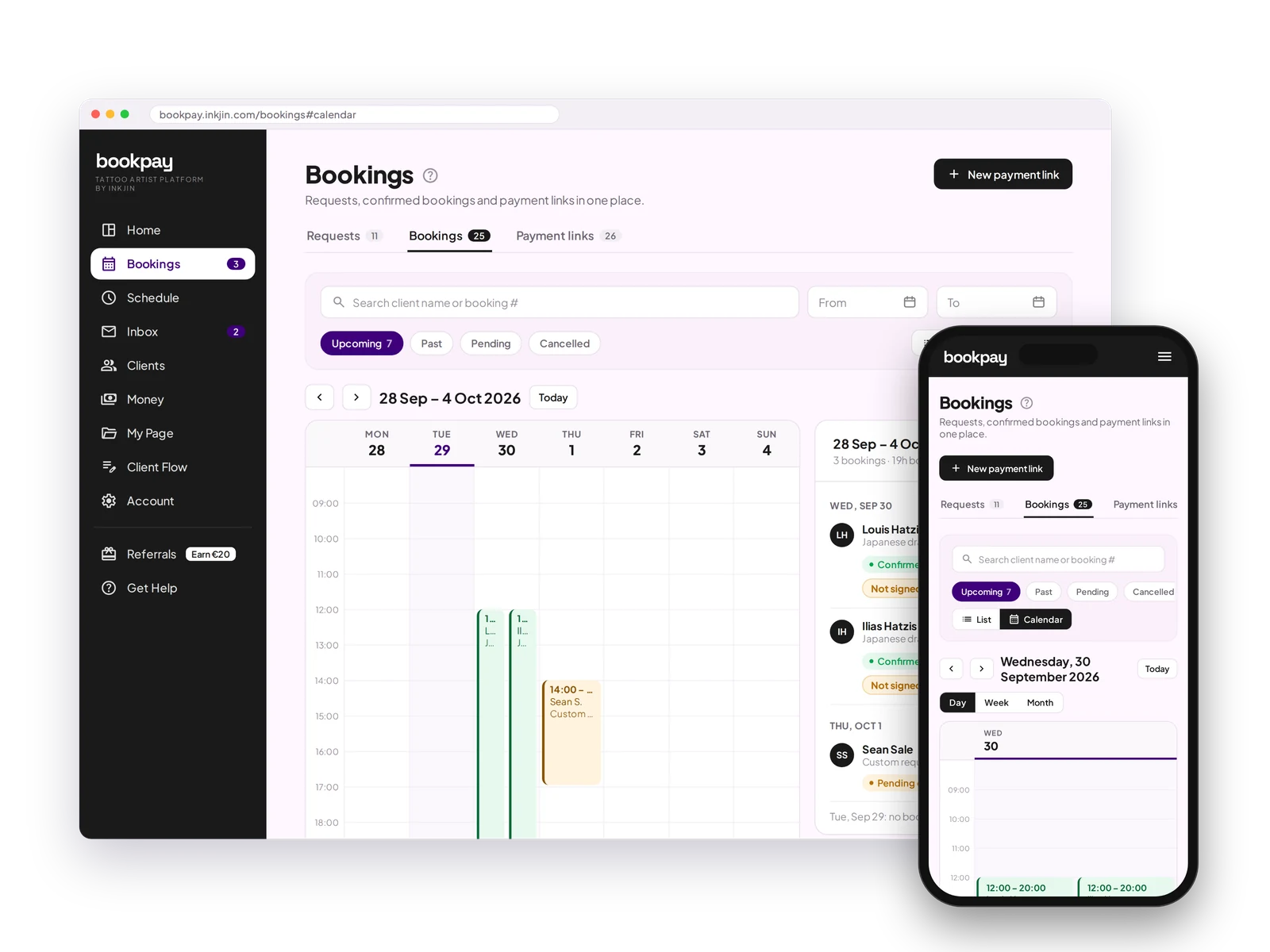
Get the details that actually matter.
Ask for a budget, placement, size and reference images before they can even request a date. Change the form with our drag-and-drop editor, and send the consent form automatically before the session.
Intake forms →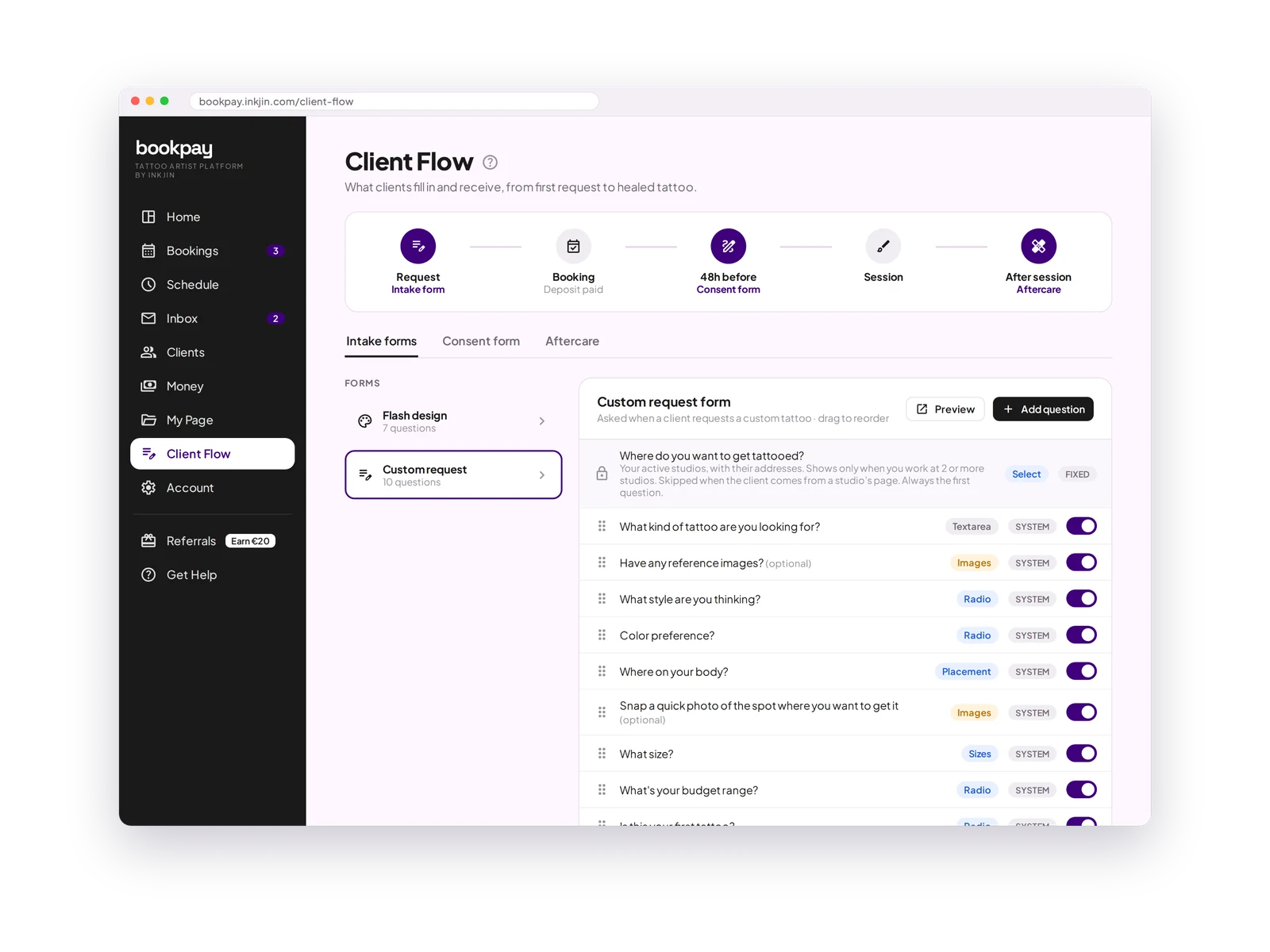
Set up everything in minutes.
Sign up free
Create your Bookpay account. No card, no monthly fee, no commitment.
Connect your calendar and bank account
Link Google Calendar and your bank account through Stripe. Money comes to you automatically.
Your money →Set up your booking page
Add your rates, flash, portfolio, guest spots, deposit rules and FAQ.
Your booking page →Open your books and start taking bookings
Share the link. Clients request and pay a deposit. No more DMs.
Your calendar →FAQ
How long does it take to get set up?
Under 10 minutes. Connect your bank account, add your bio, upload a few portfolio pieces, set your deposit amount and cancellation policy, and you are live. Your personal booking link is ready to share the moment you finish.
Can I use Bookpay if I already have a client base?
Yes, and it is probably easier than you think. Share your booking link with existing clients. They do not need to create an account or download anything to book you. Most artists find that regular clients prefer it because paying the deposit is simple and fast.
I work at two studios. Does that work?
Yes. Pick which days you work at each studio, and clients only see times at the studio you are at that day. Clients only book you where you are that day.
Can I leave if it is not for me?
Of course. There are no contracts and no lock-in. Your client data is always yours and you can export it at any time. If you decide Bookpay is not the right fit, you can close your account with no costs and no questions asked.
Which currencies do you support?
15 currencies: AUD (Australia), CAD (Canada), CHF (Switzerland), CZK (Czech Republic), DKK (Denmark), EUR (Austria, Belgium, Bulgaria, Croatia, Cyprus, Estonia, Finland, France, Germany, Greece, Ireland, Italy, Latvia, Lithuania, Luxembourg, Malta, Netherlands, Portugal, Slovakia, Slovenia, Spain), GBP (United Kingdom), HUF (Hungary), NOK (Norway), NZD (New Zealand), PLN (Poland), RON (Romania), SEK (Sweden), SGD (Singapore), USD (United States).
Which countries can artists join from?
35 countries: Australia, Austria, Belgium, Bulgaria, Canada, Croatia, Cyprus, Czech Republic, Denmark, Estonia, Finland, France, Germany, Greece, Hungary, Ireland, Italy, Latvia, Lithuania, Luxembourg, Malta, Netherlands, New Zealand, Norway, Poland, Portugal, Romania, Singapore, Slovakia, Slovenia, Spain, Sweden, Switzerland, United Kingdom and United States. Not on the list? Sign up anyway and we will email you when we launch in your country.
Will clients mind paying the €10 booking fee?
In practice, most do not. The fee is shown clearly at checkout, so clients know exactly what they are paying and why. If you would rather pay it yourself or split it with your client, you can change that in Deposits and rates. Committed clients do not mind €10.
Are there any payment processing fees?
Only Stripe's standard fee on payments you receive, usually 1.5% + €0.25 for European cards. Bank payments like SEPA or iDEAL usually cost less. Bookpay has no monthly fee and takes no commission.
What is tattoo booking software?
Tattoo booking software lets tattoo artists take and manage appointments online: a booking page, intake forms, deposits, scheduling and payments in one place, instead of juggling Instagram DMs and bank transfers. Bookpay is free tattoo booking software built for tattoo artists.
Is there free tattoo booking software?
Yes. Bookpay is free for tattoo artists, with no monthly fee and no commission on your work. Clients pay a flat €10 booking fee when they confirm a date.
Do I need tattoo booking software as a tattoo artist?
If you take custom requests, deposits or consultations, a booking system saves hours compared with managing everything in DMs. It protects your time with deposits, collects the right details upfront, and keeps your calendar organized. Bookpay does all of this for free, on desktop and phone.
Stop managing bookings in DMs.
Your booking link is ready. Clients book, pay the deposit, and show up. You get your time and headspace back.
Open your books in under 10 minutes →