Every artist at your studio, in one calendar.
See who is tattooing, when, and for whom. Each artist keeps their own calendar and booking page, and your studio calendar brings them together.
Sign up as a studio →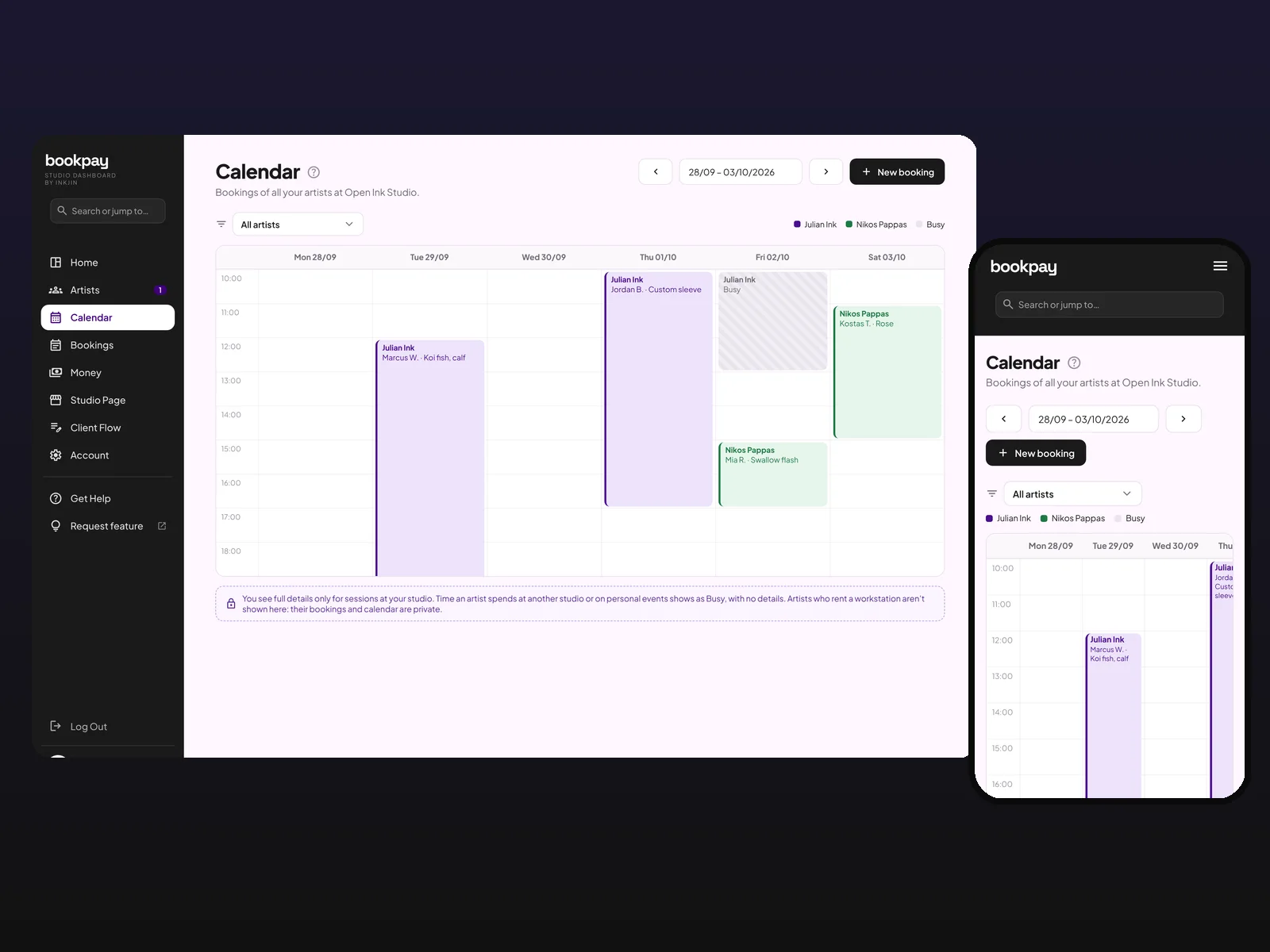
One view for the studio
Every session at your studio, color coded by artist, week by week.
Filter by artist
Show all your artists, or just one.
Busy, not details
Time an artist spends at another studio or on personal events shows as Busy, with no details. Artists who rent a workstation are not shown: their bookings and calendar stay private.
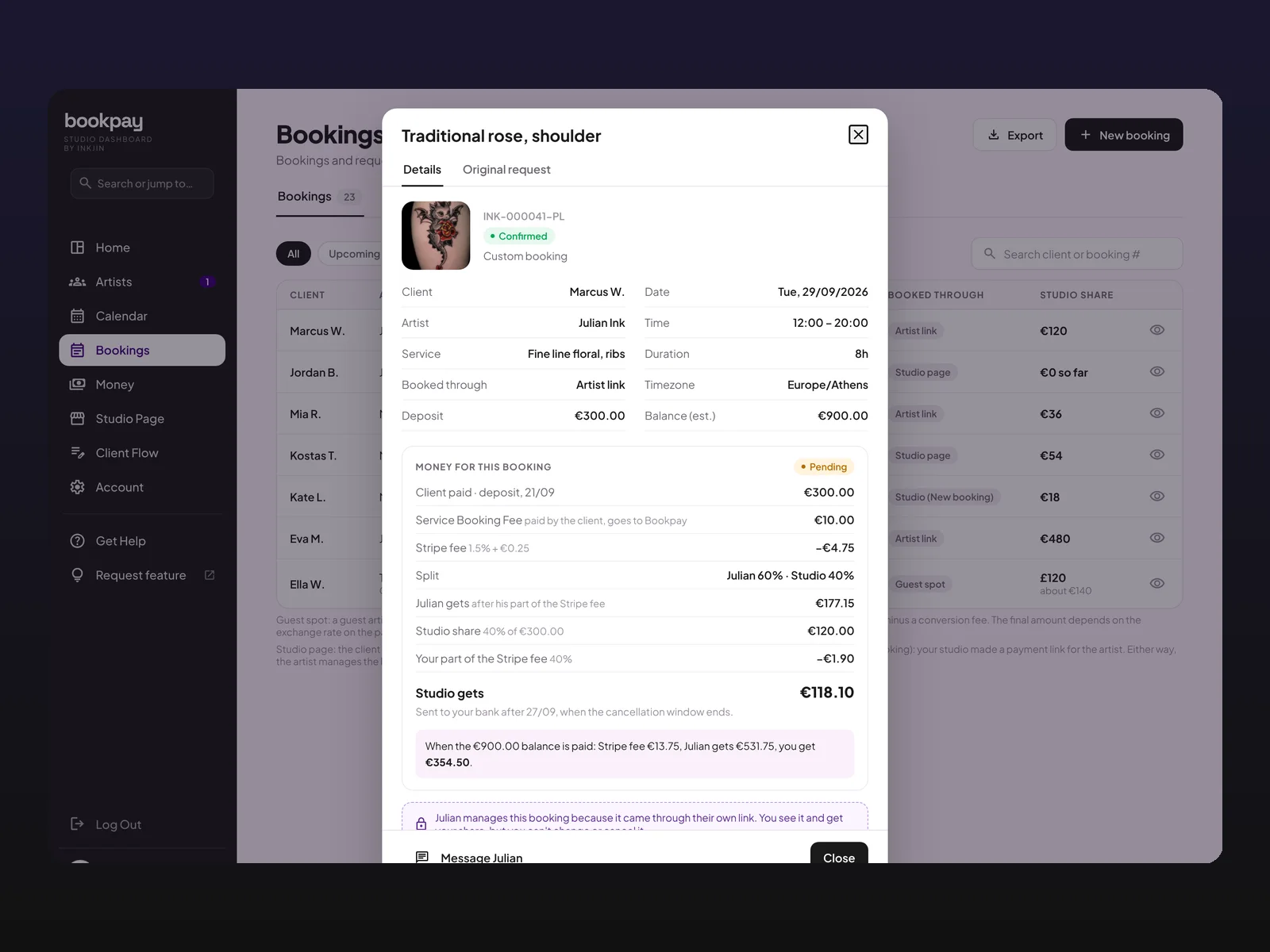
Open any booking
See the client, the date, the status, the split and what the studio gets.
Book from the calendar
New booking makes a payment link for any artist, using that artist's free times.
Guest artists too
Guest artists show for the dates of their guest spot.
Open a booking, see the money.
Open any booking to see the client, the artist, the date and the status, with the split, each side's part of the Stripe fee, and what the studio gets. It also shows what has been paid so far and the booking fee, which the client pays and goes to Bookpay. Your share is sent to your bank when the cancellation window ends, and each side pays its own part of the Stripe fee. A booking that came through an artist's own link is managed by that artist: you see it and get your share, but you can't change or cancel it. Every booking shows whether the consent form is signed. Use the ... menu on a booking to collect the balance on split bookings, to reschedule or cancel a booking your studio brought in, or to see the consent form.
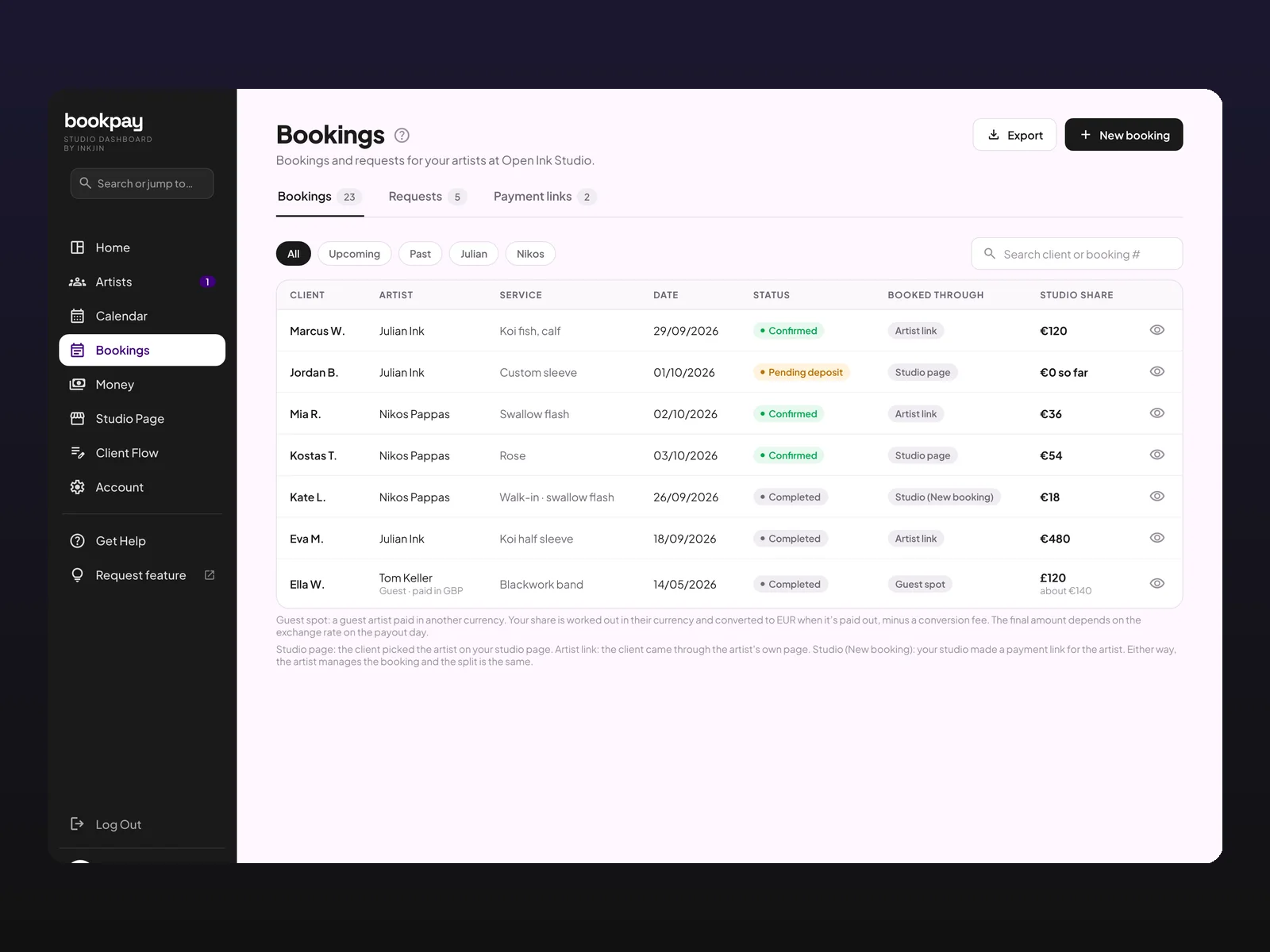
Every booking in a list, too.
Bookings lists every booking at your studio with the artist, the status, where it was booked (the artist's link, your studio page, your studio, or a guest spot) and the studio's share. Filter by All, Upcoming or Past, filter by artist, search by client or booking number, and export. A guest paid in another currency shows their amount, and what you receive in your currency depends on the exchange rate on payout day.
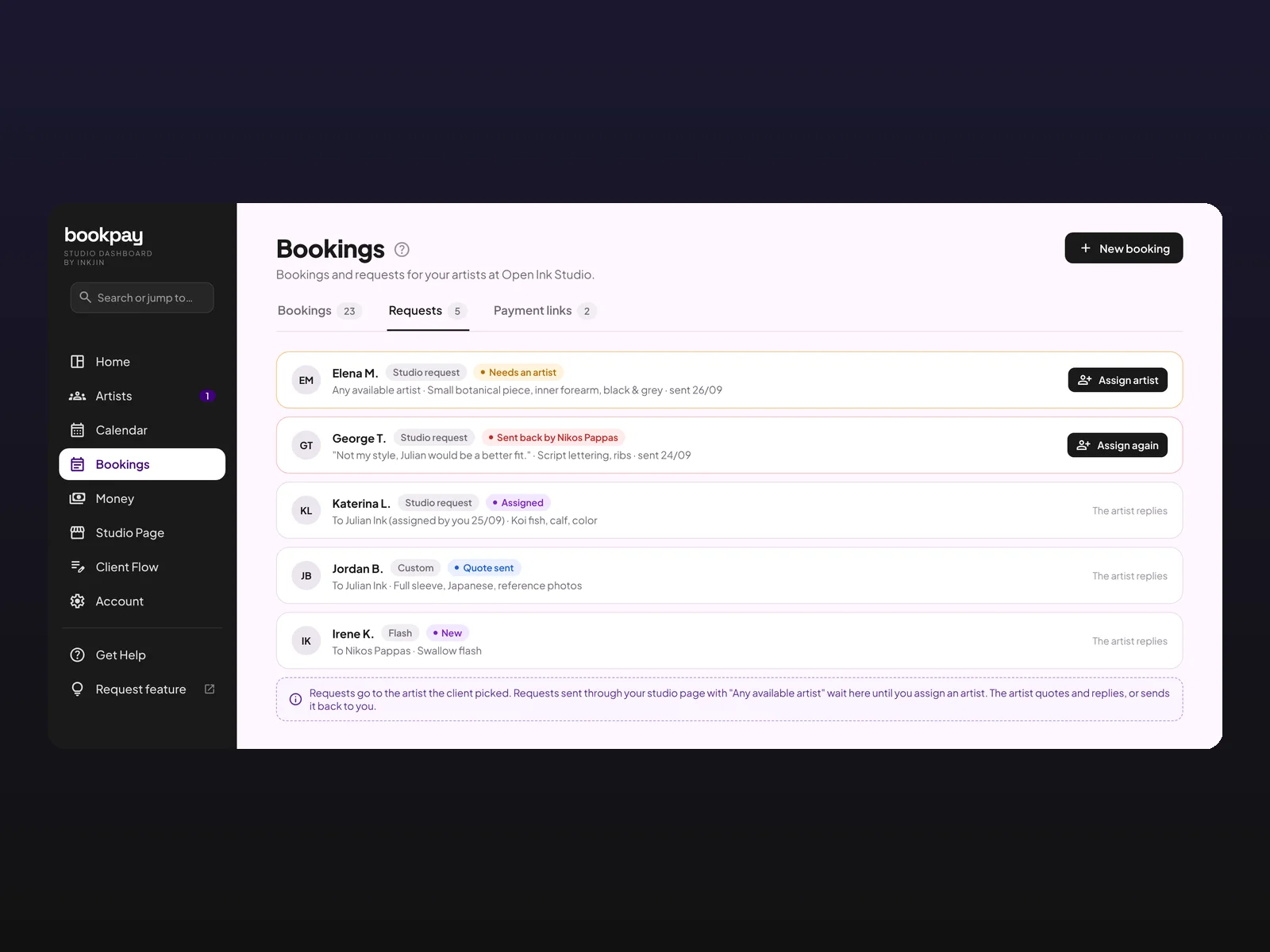
Requests, and the links your studio made.
Requests sent through your studio page with "Any available artist" wait in Requests until you assign an artist. The artist replies to the client, or sends it back to you.
Payment links lists the links your studio made with New booking, and whether each is open, paid or expired.
Studio Calendar FAQ
Can we see if the consent form is signed?
Yes. Every session at your studio shows if the form is signed, not signed yet, or waiting for a guardian. You can open and download forms signed on your studio's form. For bookings your studio brought in, you can resend the form or show a QR code so the client signs at the desk.
What can the studio see?
Full details for sessions at your studio. Time an artist spends at another studio or on personal events shows as Busy, with no details. Artists who rent a workstation are not shown: their bookings and calendar stay private.
Who manages the bookings?
Each artist manages their own bookings. Your studio can reschedule and cancel the bookings it brought in (your studio page, New booking and walk-ins), and collect the balance on any booking with a revenue split, by payment link or in cash at the desk. The artist is told every time, and a balance can only be collected once. A booking that came through an artist's own link stays with that artist: you see it and get your share.
Do artists need a separate calendar for the studio?
No. Each artist uses their own Bookpay calendar. Sessions at your studio show in your studio calendar automatically.
What if an artist works at two studios?
The artist picks which days they work at each studio. Each studio sees its own sessions, and time at the other studio shows as Busy.
See your whole studio at a glance.
Invite your artists and their sessions fill your studio calendar.
Sign up as a studio →