Bring your artists in, and decide how each one is paid.
Invite artists by email or Bookpay username, accept artists who ask to join, and set how each one is paid: a revenue split, or workstation rent, which you settle with the artist outside Bookpay. Every artist keeps their own booking page.
Sign up as a studio →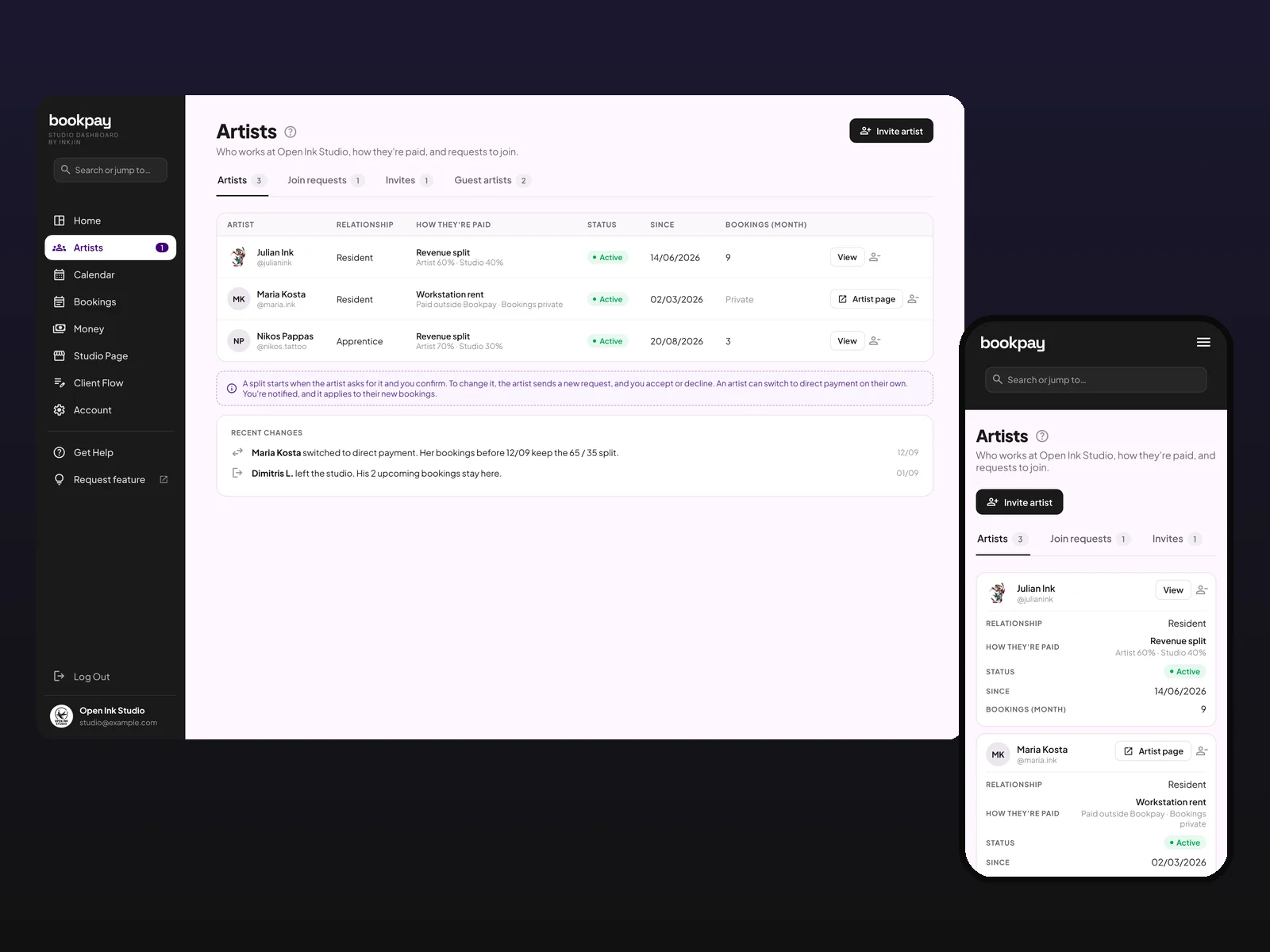
Invite by email or username
Artists already on Bookpay get the invite in their dashboard. Others get an email and join from it.
Artists can ask to join
Nothing changes for them until you accept.
Their relationship
Resident, co-owner, collective member, apprentice or other.
Revenue split, or workstation rent
Choose per artist: split each payment, or the artist pays rent and keeps the full payment.
Guest artists
They choose your studio for the dates of their guest spot, and you confirm or decline.
Recent changes
See who switched to direct payment or left, and what happens to their bookings.
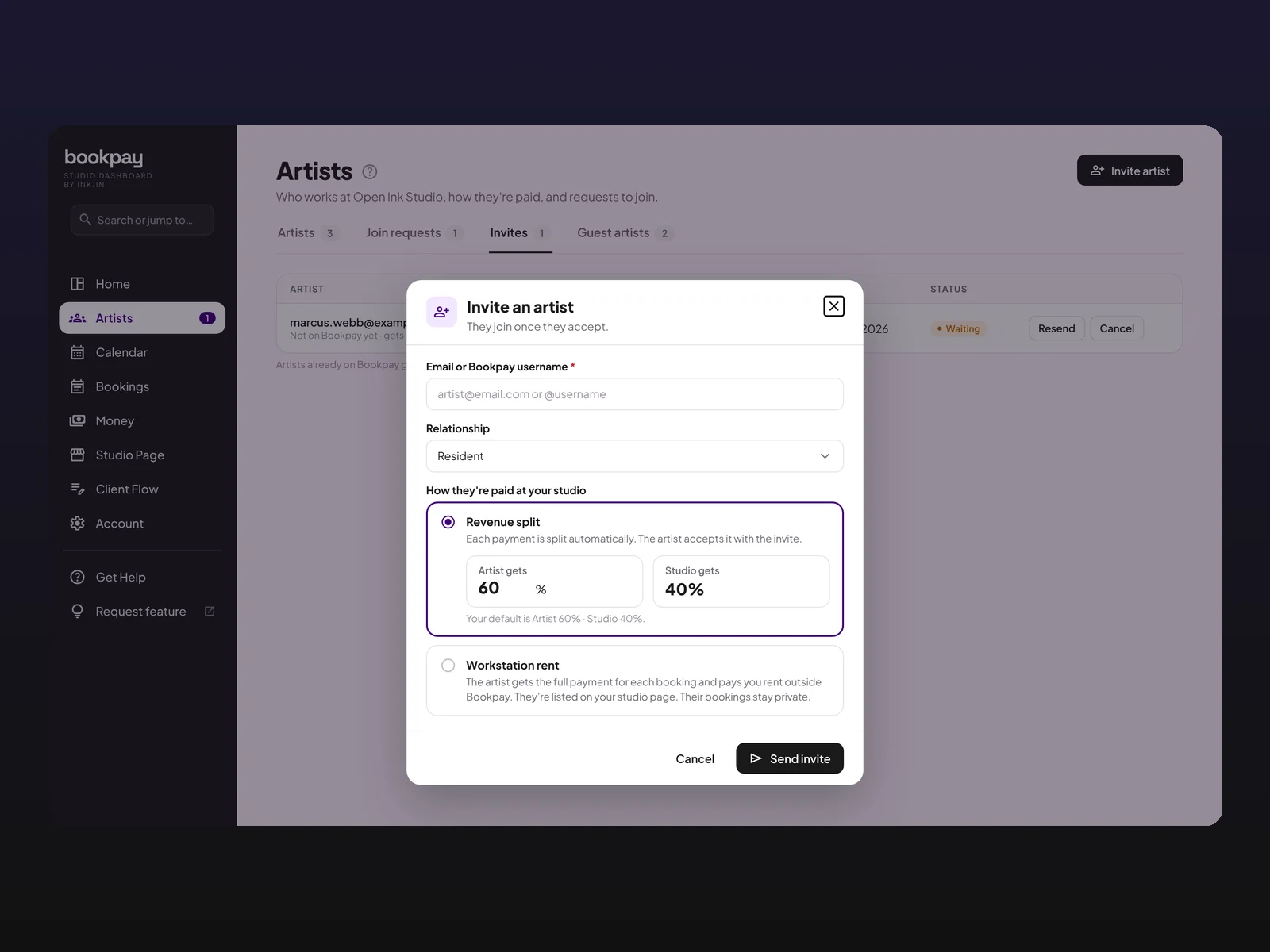
Invite an artist.
Type an email or a Bookpay username, choose their relationship, and say how they are paid at your studio.
With a revenue split, you offer the split in the invite and the artist accepts it when they join. Your default split is filled in, and you can change it for each artist. With workstation rent, the artist gets the full payment for each booking and pays you rent outside Bookpay. They are listed on your studio page, and their bookings stay private.
Invites nobody has answered yet wait under Invites, where you can resend or cancel them.
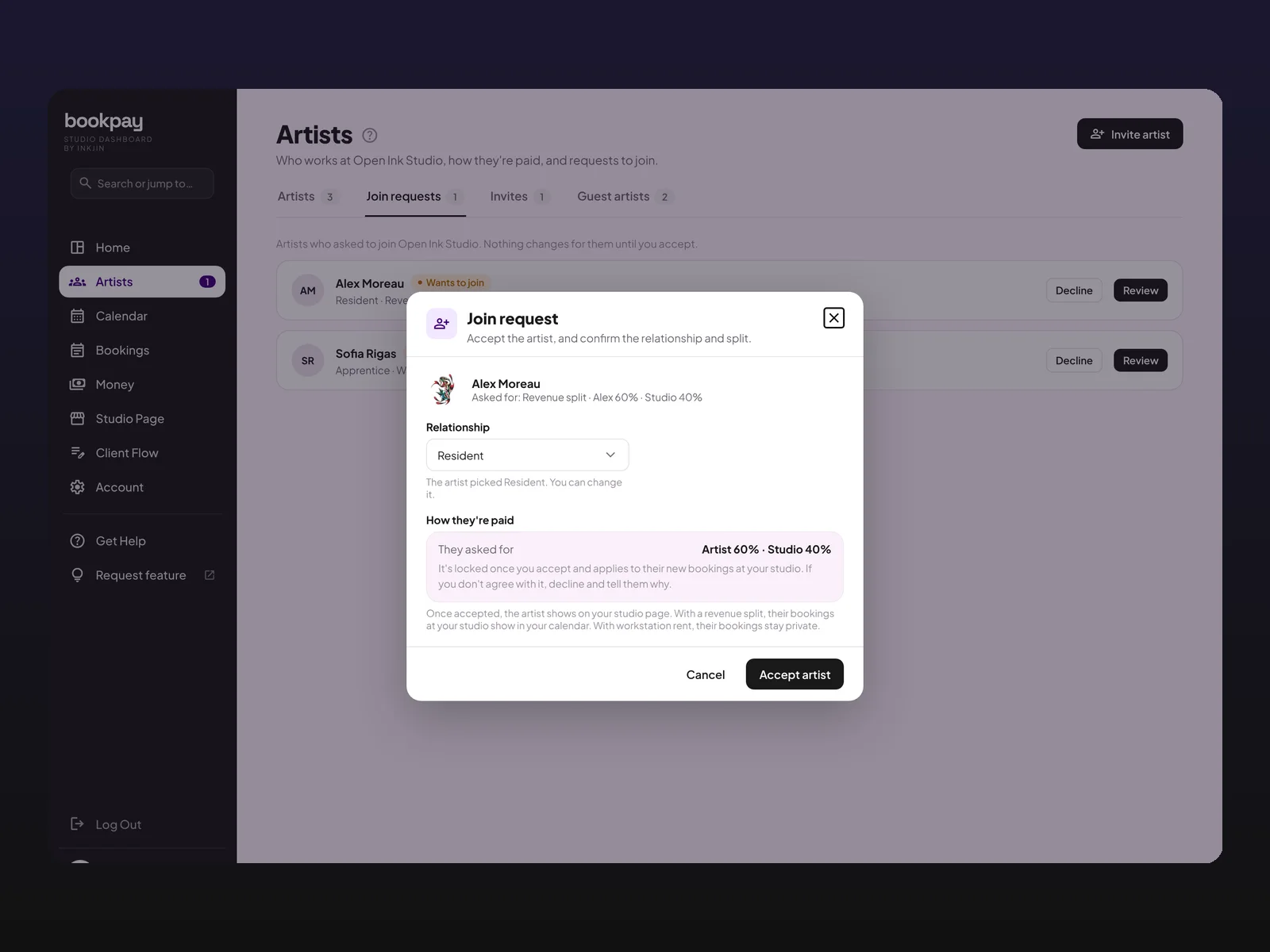
When an artist asks to join.
Artists can ask to join your studio from their dashboard. Open the request to see what they asked for. You can change their relationship, and you see the split they asked for.
The split is locked once you accept, and it applies to their new bookings at your studio. If you don't agree with it, decline and tell them why. Once accepted, the artist shows on your studio page. With a revenue split, their bookings at your studio show in your calendar.
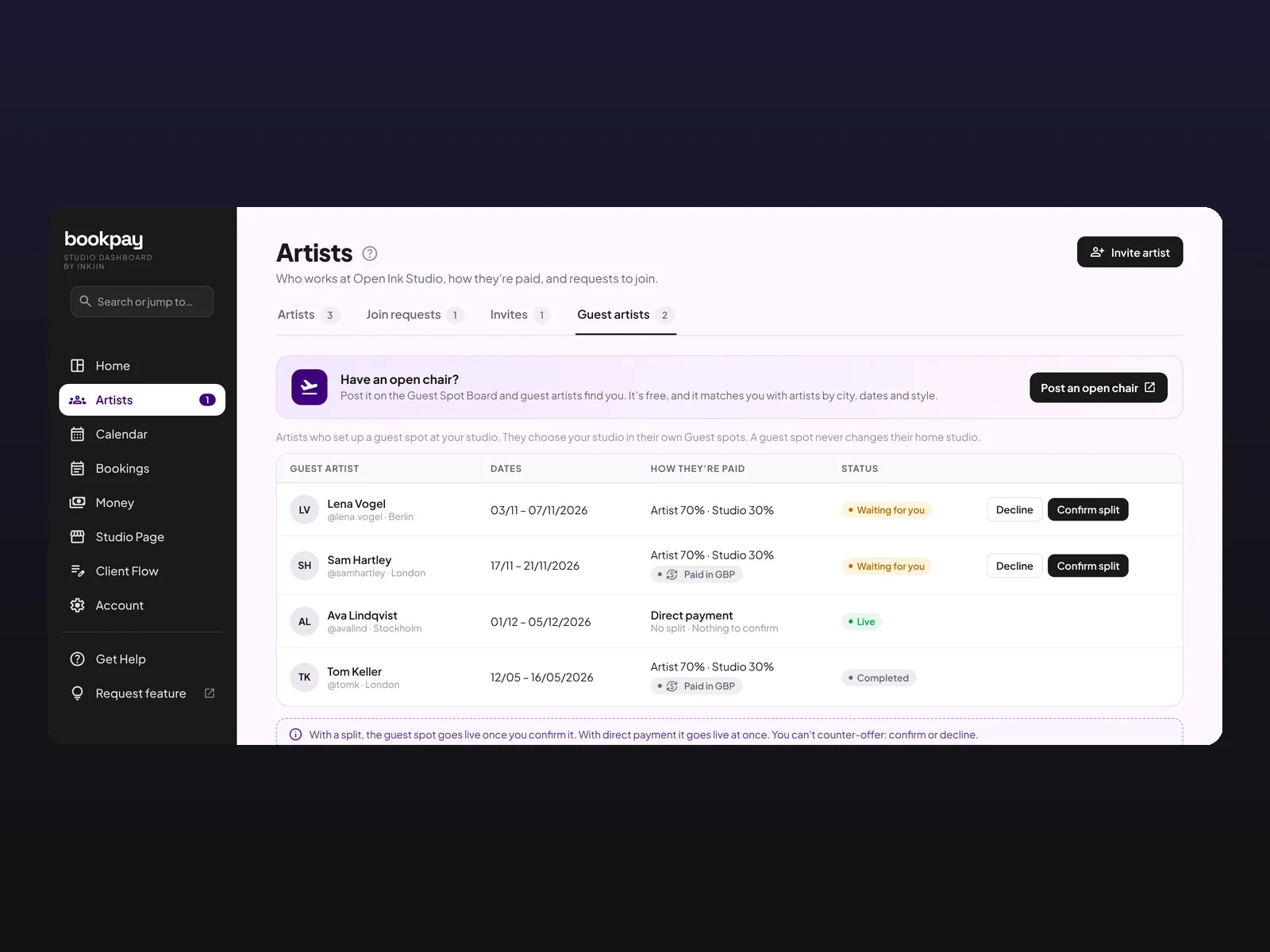
Guest artists.
Artists who set up a guest spot at your studio show here with their dates. They choose your studio in their own Guest spots, and a guest spot never changes their home studio.
With a split, the guest spot goes live once you confirm it. With direct payment it goes live at once. You can't counter-offer: confirm or decline. A guest paid in another currency has your share converted to yours when it is paid out.
Have an empty chair? Post it on the Guest Spot Board and guest artists find you.
Who works here, and what changed.
The Artists tab lists every artist with their relationship, how they are paid, when they joined and their bookings this month.
A split changes by asking: the artist sends a new request, and you accept or decline. An artist can switch to direct payment on their own. You are told, and it applies to their new bookings. When an artist leaves, Recent changes shows it, and their upcoming bookings stay with your studio.
Studio Artists FAQ
How do I invite an artist who is not on Bookpay yet?
Type their email. They get an email and join from it. The invite waits under Invites until they answer, and you can resend or cancel it.
Do my artists need their own account?
Yes. Each artist has their own Bookpay account and booking page. Invite them by email or username, or they can ask to join your studio from their dashboard.
Can I turn down an artist who asks to join?
Yes. Decline the request and tell them why. They stay where they work now.
Who sets the split?
You can offer a split when you invite an artist, or the artist asks for the split you agreed. Either way it is locked once it is confirmed, and it applies to new bookings. To change it, the artist sends a new request and you accept or decline.
What can I see about an artist on workstation rent?
They are listed on your studio page. Their bookings, clients and calendar stay private.
What happens when an artist leaves?
Recent changes shows it, and their upcoming bookings stay with your studio.
Bring your whole studio.
Invite your artists, set how each one is paid, and let Bookpay handle the money.
Sign up as a studio →