Tattoo appointment scheduling software, on your terms.
Take complete control of your schedule with flexible booking modes, working hours and a calendar that shows your day, week or month.
Set up your schedule →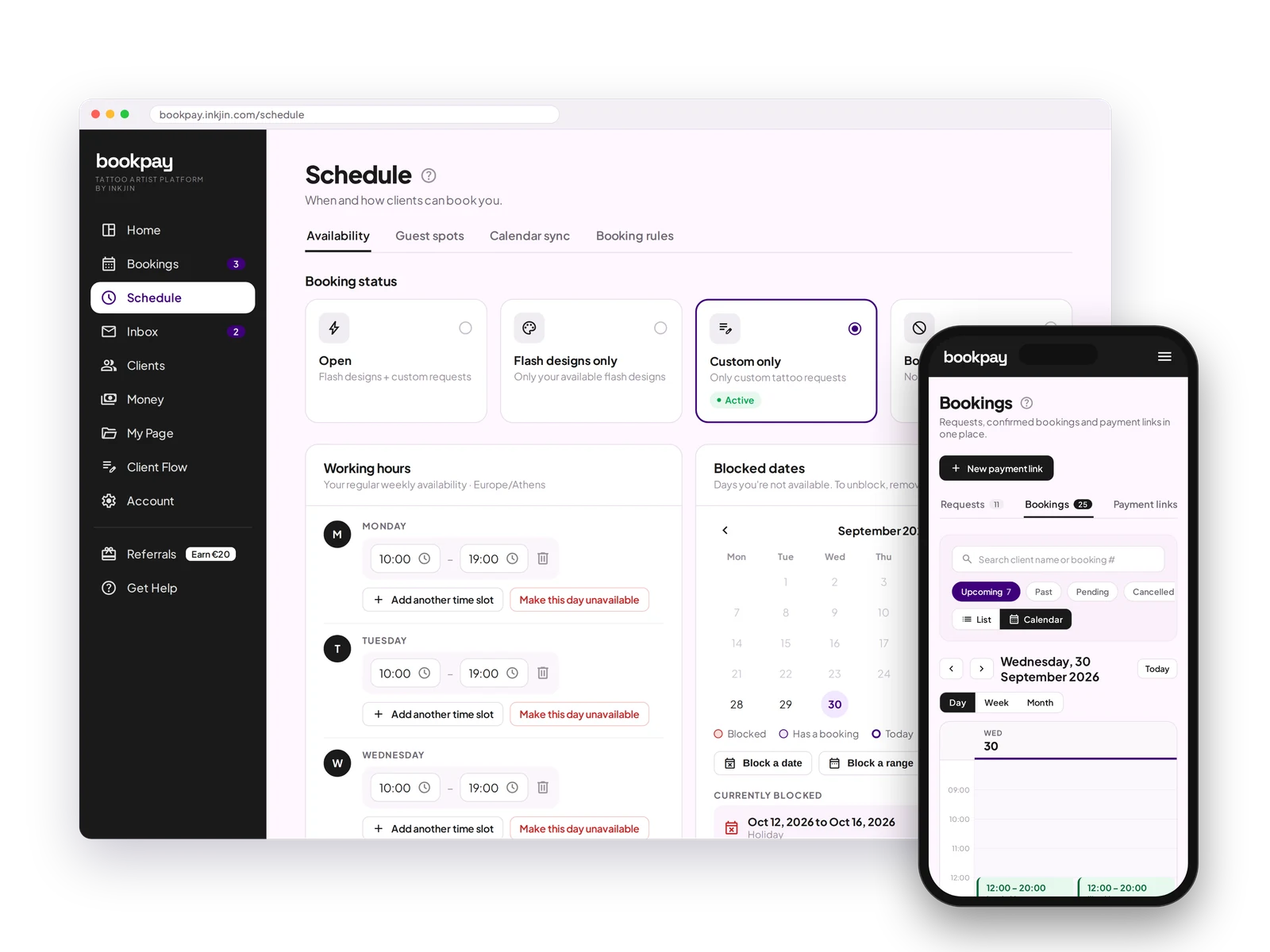
4 booking modes
Flash only, Custom only, Open, or Closed. Switch between them anytime to match your schedule.
Block dates
Block off single days or date ranges: holidays, conventions, or just time off.
Set availability
Set your working hours once, with more than one time slot per day if you need it.
Auto or managed
Let clients book open slots instantly, or have them suggest times for you to approve.
Day, week and month views
See today in detail, plan the week, or look at the whole month. Tap a booking to open it.
Two studios
Working at two studios? Pick the studio for each day, and set travel time between them.
Auto reminders
Reminders go out automatically before every appointment, so clients show up.
Waitlist when closed
When your books are closed, clients join a waitlist instead of leaving.
Appointment Scheduling FAQ
What are the four booking modes?
Flash only, Custom only, Open (flash and custom), and Closed. Switch between them anytime, and clients only see what is actually available.
Can I block off dates for vacations or conventions?
Yes. Block single days or full date ranges whenever you need the time off.
Do I have to accept every booking automatically?
No. Choose managed scheduling to review what the client asks for and send your suggested times, or switch to auto scheduling and let clients book open slots instantly, checked against your connected Google Calendar.
Can I see my week at a glance?
Yes. The calendar has Day, Week and Month views, and the list next to it shows every booking in the period you are looking at.
I work at two studios. How do clients know where I am?
Pick the studio for each day in your working hours. Clients only see times at the studio you are at that day, with your travel time kept free between them.
What happens when my books are closed?
Clients can join a waitlist instead of hitting a dead end, so you do not lose them when a slot opens back up.
Stop juggling a schedule that lives in five different apps.
Set your modes and hours once. Bookpay keeps every booking lined up after that.
Open your books →