Every detail, before they sit down.
Clients describe their idea, upload references, and answer the questions that matter, so you can send an accurate quote and get straight to work.
Start taking requests →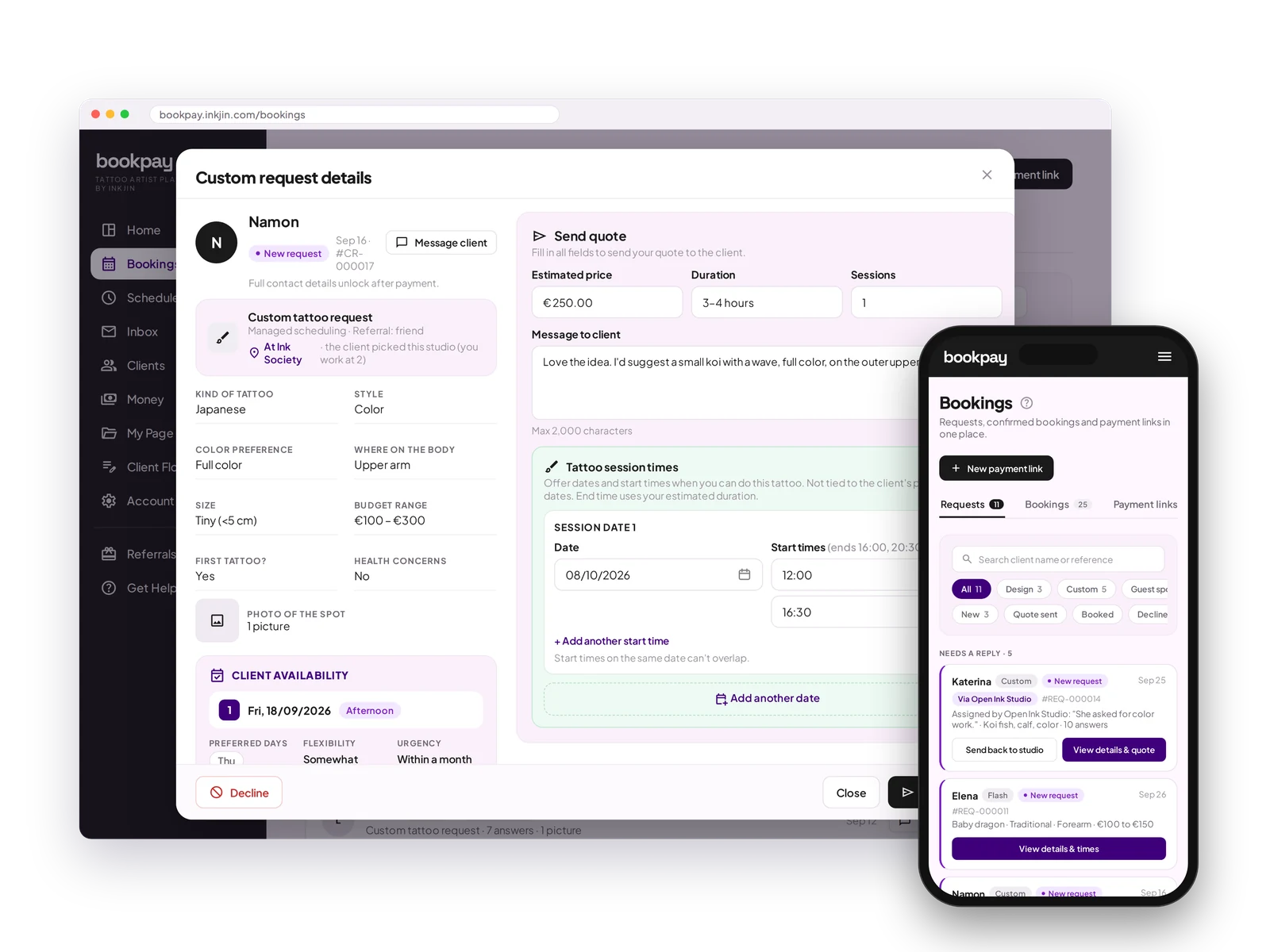
Full brief upfront
Placement, size, style, reference images and health info, all collected before you reply.
Consultation scheduling
Let clients book an online or in-studio consultation when they make a request.
Send a quote
Set your price, estimated time and number of sessions, pick the dates, and send it in one click.
Accept or decline
Review every request on your terms. Take the ones that excite you, pass on the ones that do not.
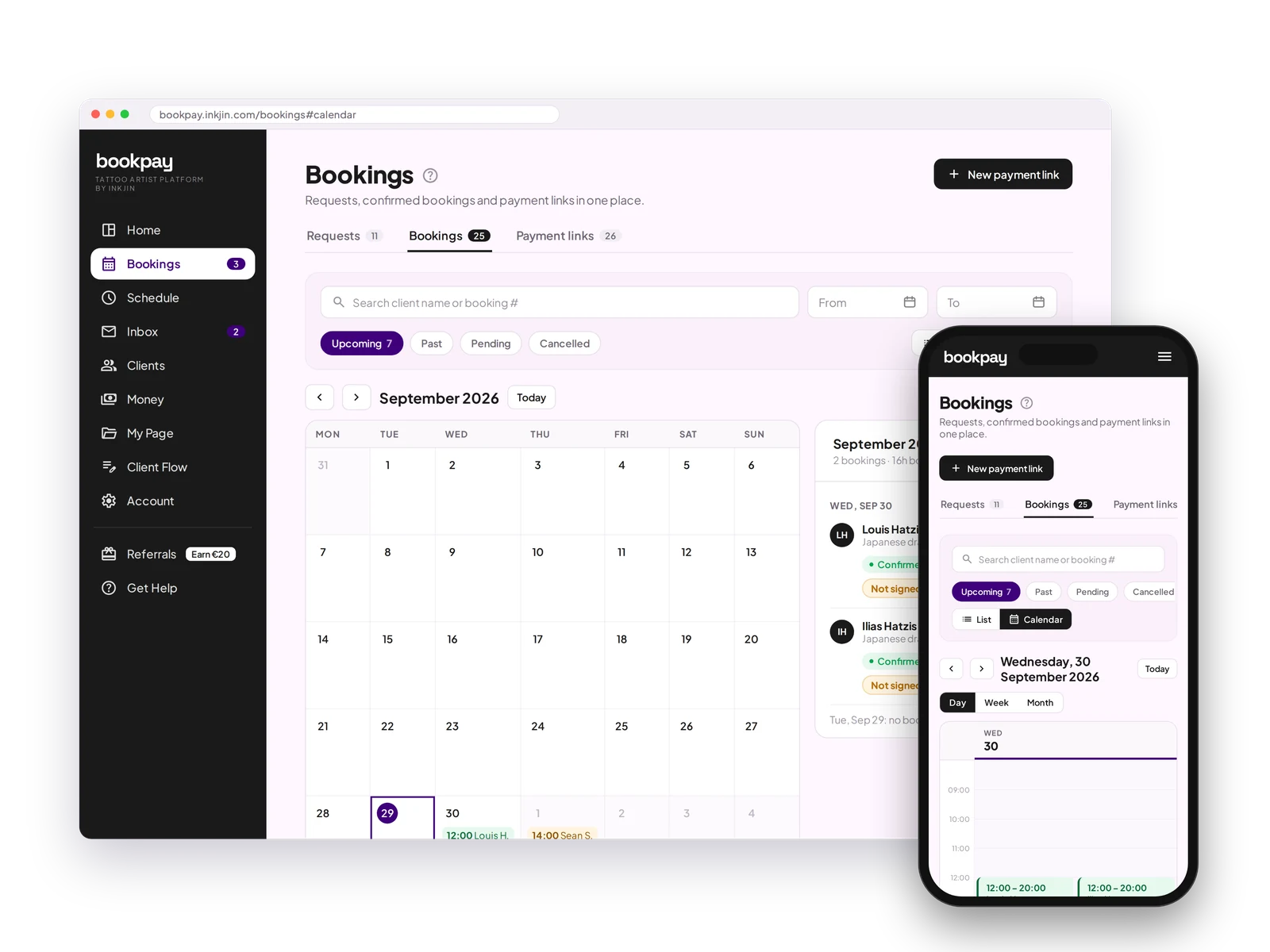
List or calendar
See your bookings as a list or on a calendar, and switch without losing your filters.
Everything in one place
Requests, bookings and payment links sit in three tabs of the same page.
Your bookings, as a list or a calendar.
Switch between List and Calendar in one tap. Your filters and search carry over. The calendar shows your day, week or month, with every booking in that period listed next to it.
Bookings FAQ
What information do I get before replying to a request?
Placement, size, style, reference images, health info, and anything else you ask on your intake form.
Can clients book a consultation?
Yes. Turn on consultations for online or in-person meetings before the session.
How do I send a quote?
Set the price, time and number of sessions, pick the dates you can do, and send it in one click from the request.
Can I decline requests I do not want?
Yes. Accept the ones that excite you and decline the rest, no explanation needed.
Can I ask the client for more information?
Yes. Every booking has its own chat, so the conversation stays with the request.
Quote it once, not five times over DM.
Every request arrives with what you need to price it.
Open your books →