Tattoo client management, built in.
Every client, every booking and every conversation, organized and searchable, right where you need it.
Manage your clients →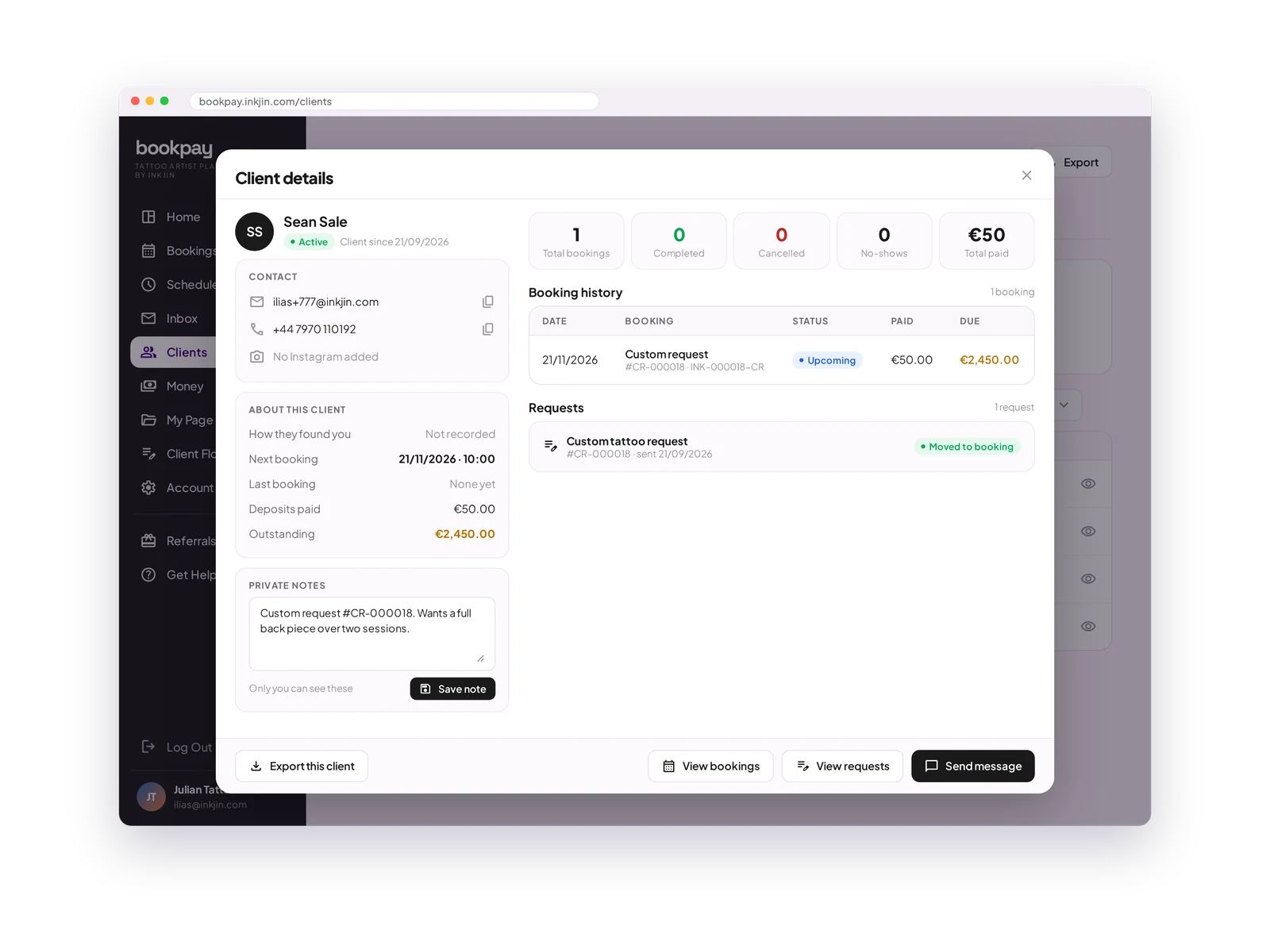
Client notes
Save preferences, style notes and anything worth remembering for next time.
Booking history
Every session, date, design and amount in one timeline.
Total spent
See how much each client has spent with you over time.
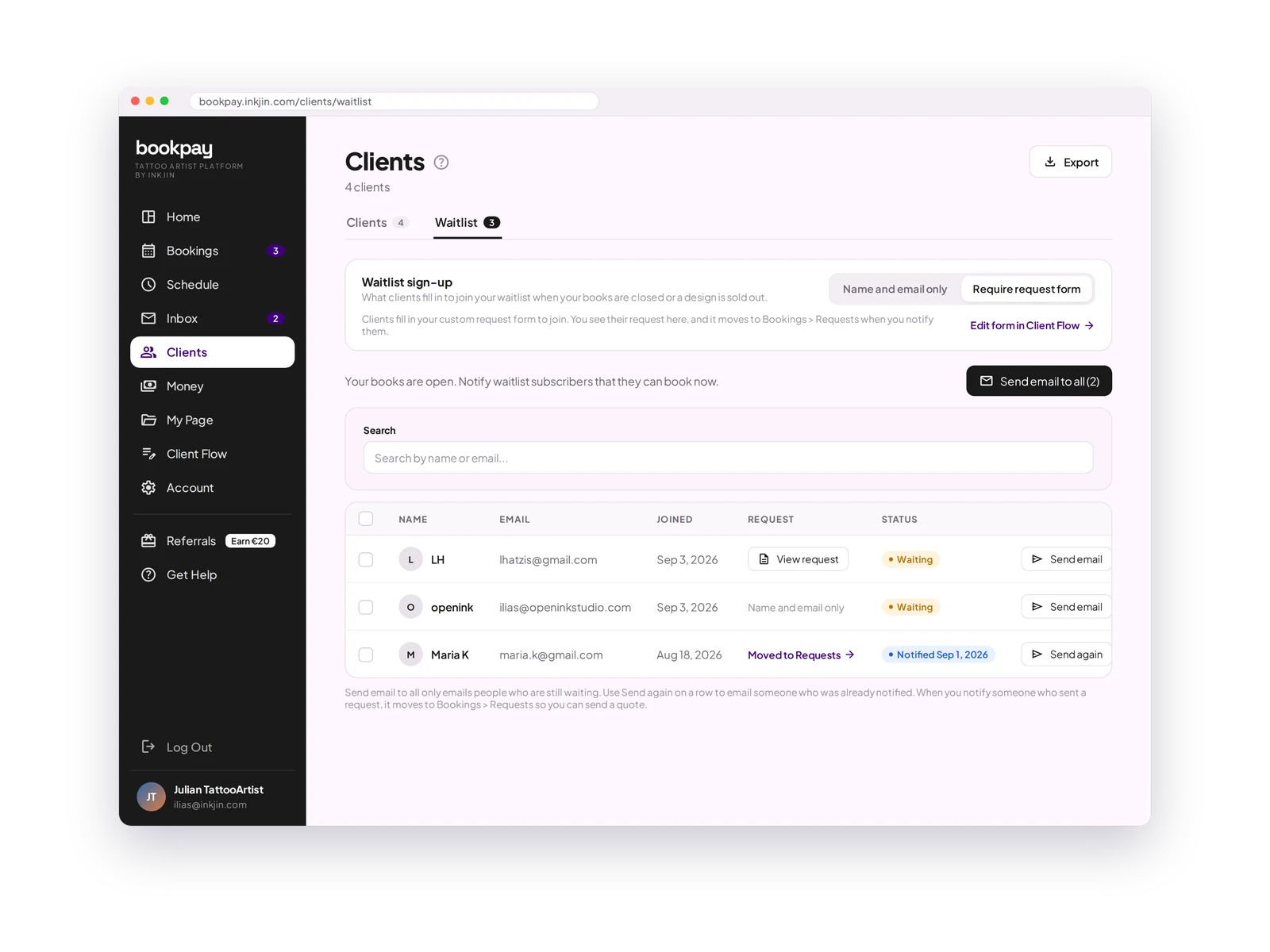
Waitlist
Clients who joined while your books were closed, ready to invite when a slot opens.
Export anytime
Download your client list and booking history as a CSV whenever you need it.
Never lose a client to closed books.
When your books are closed, clients join your waitlist. When you open again, email them all at once, or move their request straight to Requests.
Clients (CRM) FAQ
What can I track about a client?
Notes, preferences, booking history and total spent, all in one profile.
Can I see how much a client has spent with me?
Yes. Their total spent is worked out automatically from their booking history.
Can I export my client data?
Yes. Download your client data as a CSV at any time.
Every client, remembered.
Know your regulars before they ask. Their whole history is one click away.
Open your books →