Booked on Instagram? Get paid with one link.
Make a payment link for any booking, send it or show the QR code, and the booking appears in your calendar the moment the client pays.
Make your first link →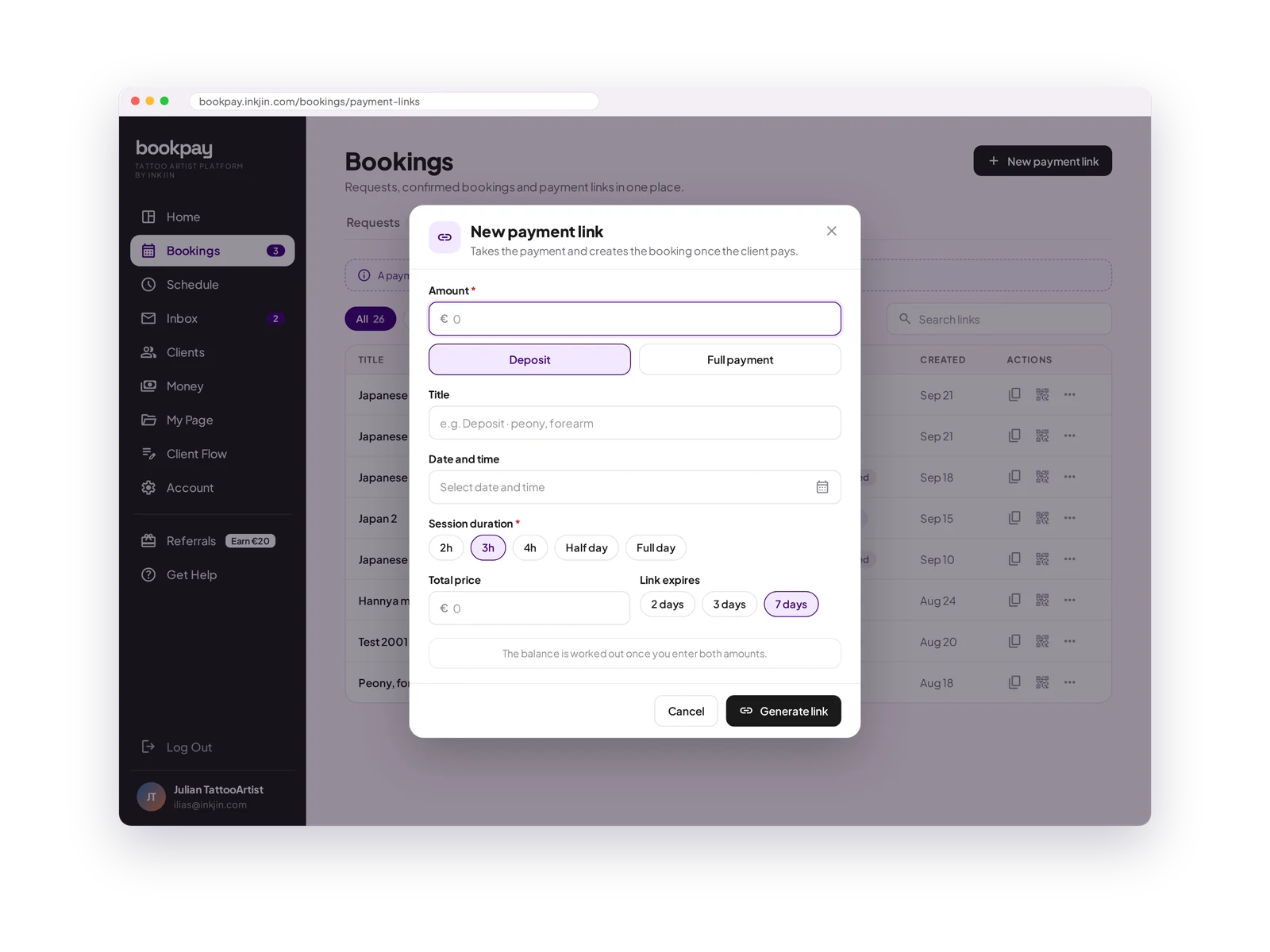
Deposit or full payment
Ask for a deposit with the total price, or the full amount in one go.
Pick the date
Choose a date and time from your free times, or leave it open.
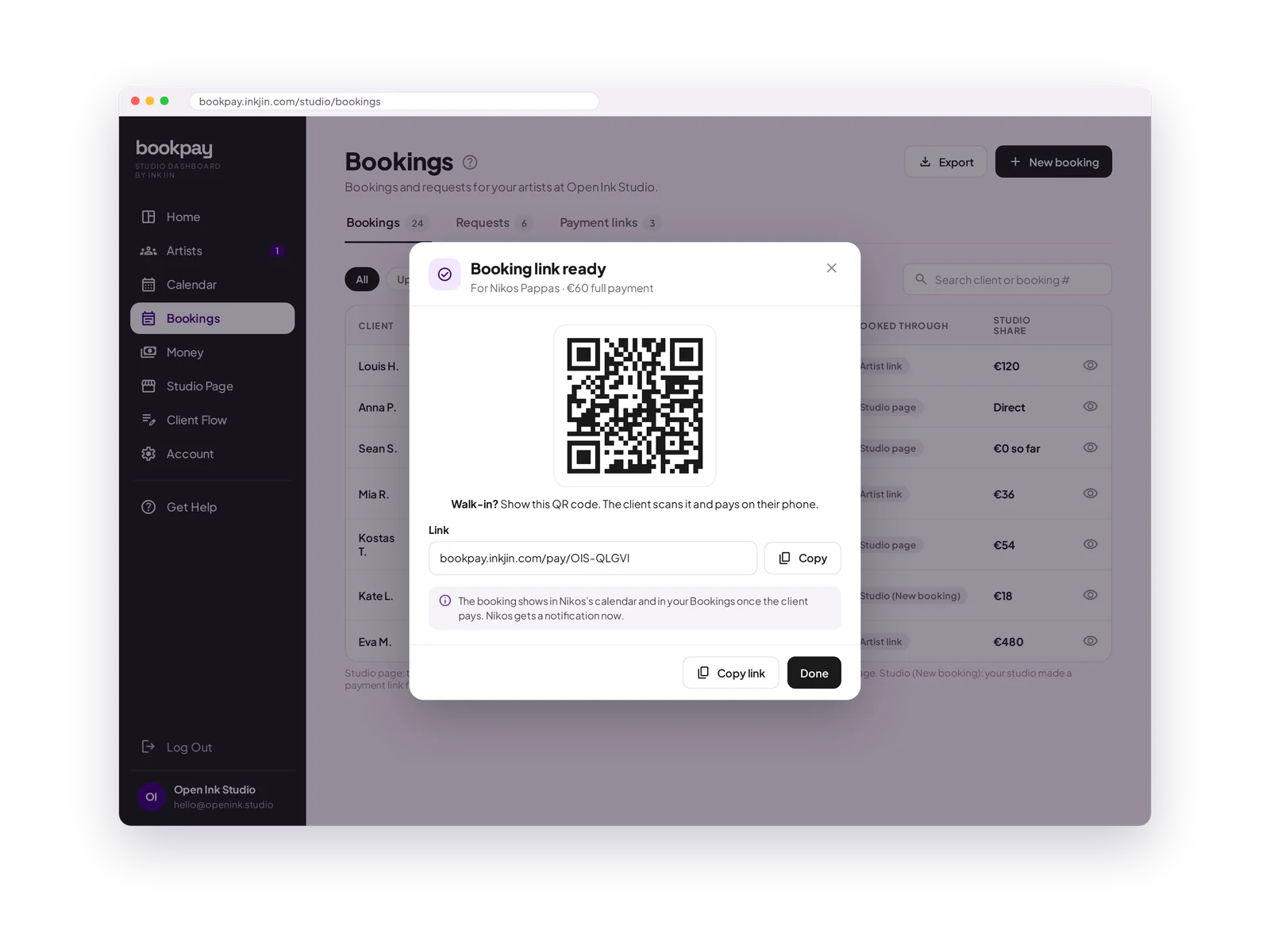
QR code
Show the QR code in the studio. The client scans it and pays on their phone.
Link expiry
Links expire after 2, 3 or 7 days, so old prices do not hang around.
A real booking
Once paid, the booking is in your calendar with the client, the payment and a record.
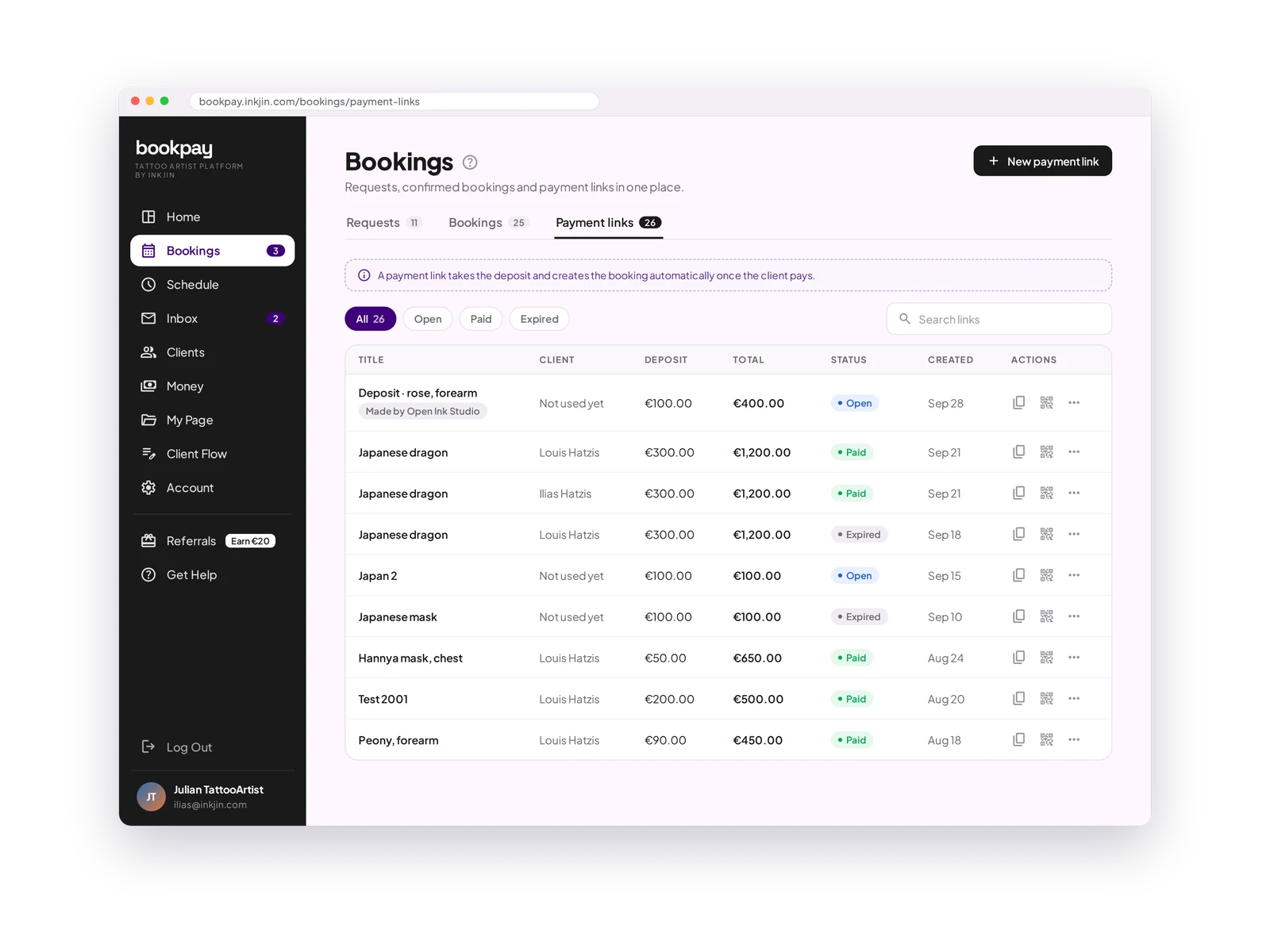
Every link in one list.
See which links are open, paid or expired. Copy a link, show its QR code, edit it, make a copy, or expire it. Search by client or title.
Walk-in? Show the QR code.
A client walks in. Make a link for "Walk-in, now", show the QR code, and they pay on their phone before the session. The booking and the payment are recorded like any other.
Payment Links FAQ
Does the client need an account?
No. They open the link, pay with a card, Apple Pay, Google Pay or a local method, and they are booked.
Can I take the balance with a payment link?
Yes. Make a link for the balance after the session, or ask for the full payment up front.
What happens when the client pays?
The booking is added to your calendar with the client's details and the payment. You get a notification.
Can I change a link after sending it?
Yes, until it is paid. After that you can still change the title and the date.
Every booking, on the record.
Whatever way a client found you, one link turns it into a proper booking.
Open your books →