Manage your tattoo studio on one platform.
Invite artists, set commission splits, see every booking and earning in one place, and let Stripe handle the payout split automatically.
- 100% free for studios
- No fee per artist
- Revenue split, workstation rent, or both
- Automated payouts
Invite artists
Invite your artists by email. Each one keeps their own booking page and settings.
Revenue split, or workstation rent
Choose per artist: split each payment, or the artist pays rent and is paid directly.
One studio calendar
See every artist's sessions at your studio in one calendar. Time elsewhere shows as Busy.
Your studio page
A studio page at inkjin.com/@yourstudio with your artists, their work and a booking button.
New booking and walk-ins
Make a booking for any artist, or show a QR code to a walk-in.
Studio earnings
Your share of every booking, after your part of the Stripe fee, paid automatically.
Everything that needs you, on one page.
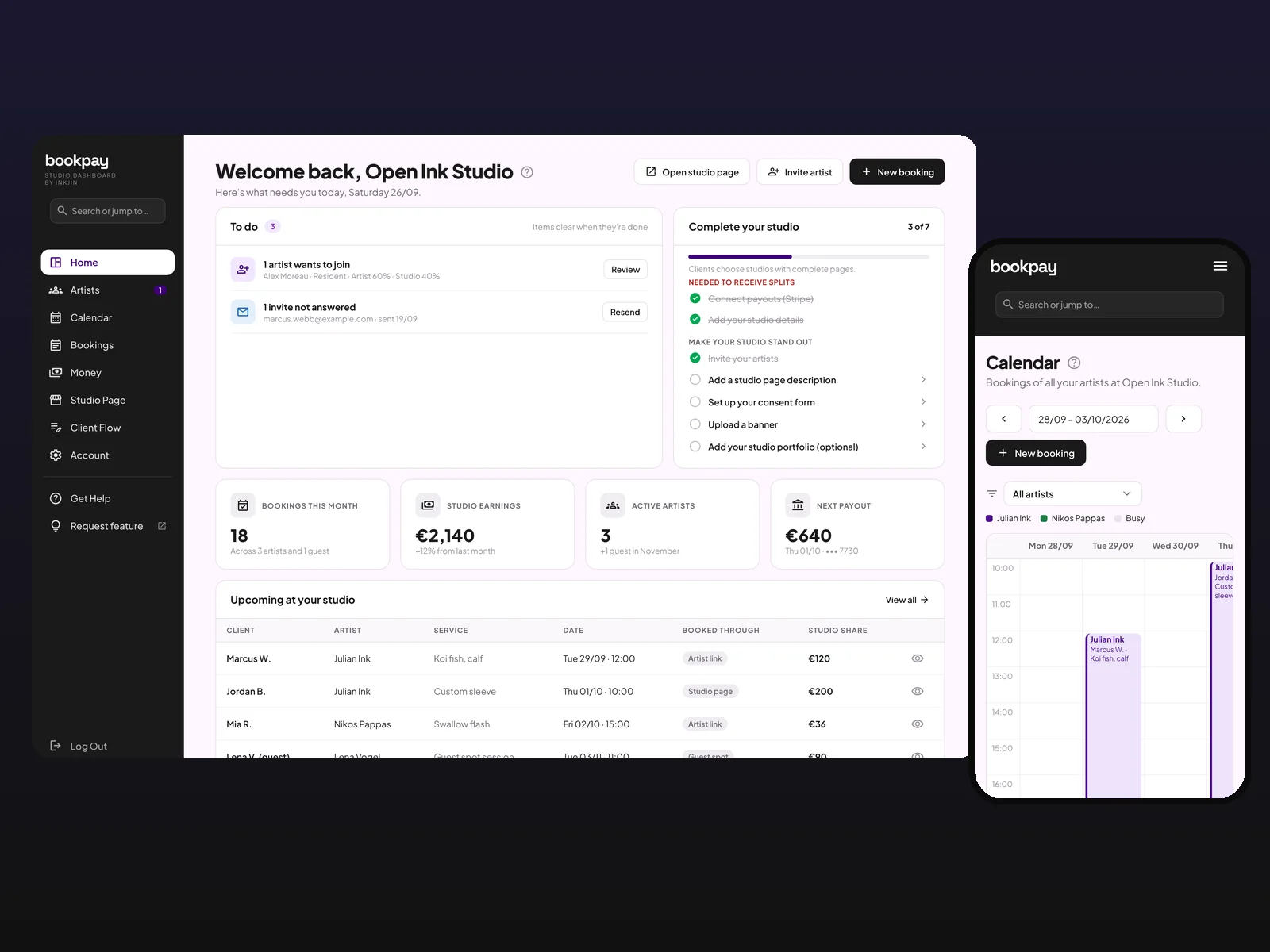
Studio Home shows what needs you today, like artists who want to join and invites nobody has answered yet. A "Complete your studio" list takes you through payouts, studio details, your artists, a description, a consent form and a banner. This month's bookings and earnings, your active artists, your next payout and the upcoming sessions at your studio are all there too.
Your artists, how they are paid, and who wants to join.
Invite artists by email or Bookpay username, and say how each one is paid: revenue split, workstation rent, or both. Artists can also ask to join, and nothing changes until you accept. Guest artists show for the dates of their guest spot, and you confirm or decline their split. Artists on workstation rent are listed on your studio page, but their bookings stay private.
More about artists →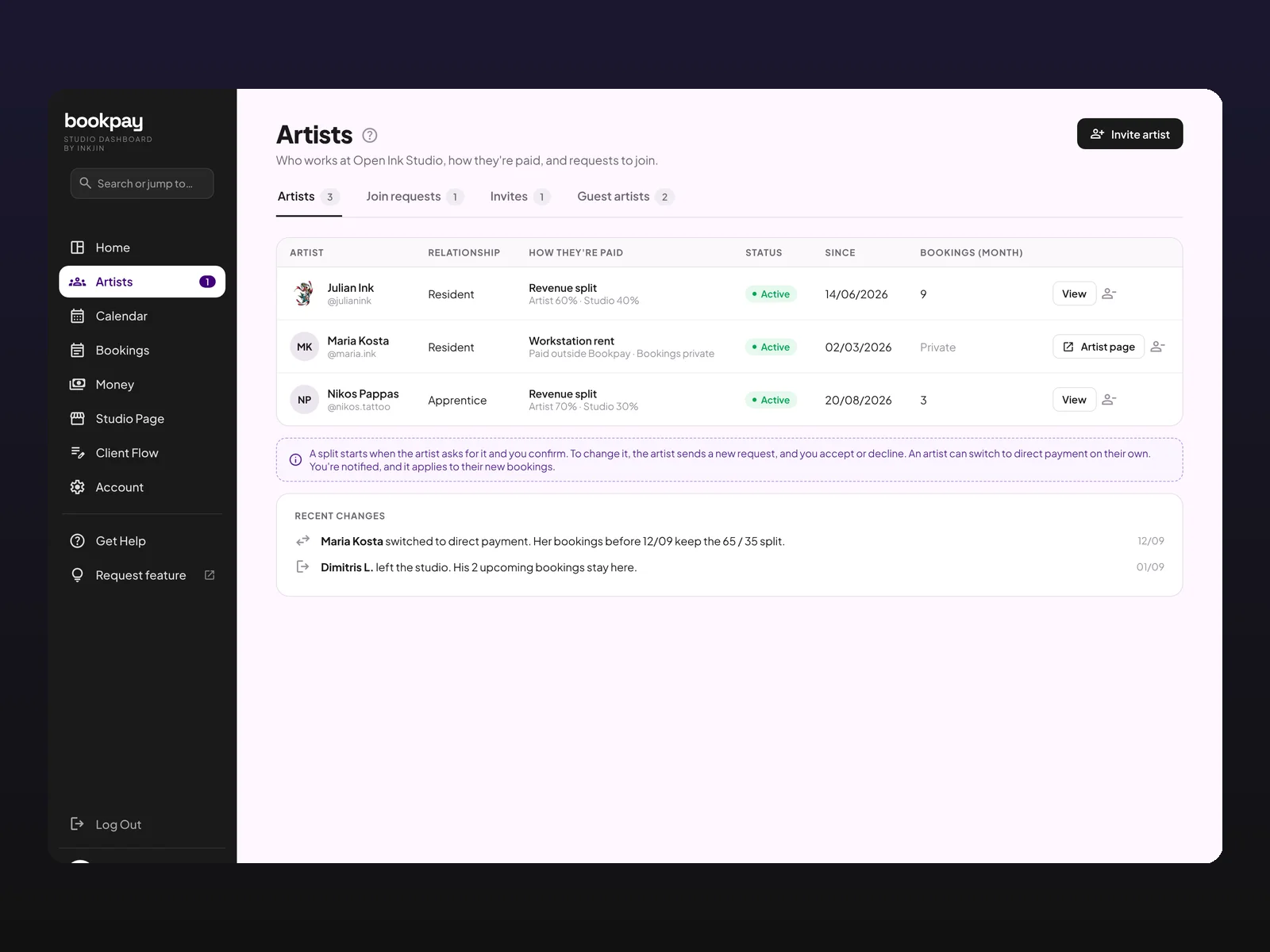
Every session at your studio, in one calendar.
Filter by artist, move week by week, and open any booking. You see full details for sessions at your studio. Time an artist spends at another studio shows as Busy. Artists on workstation rent are not shown: their bookings and calendar stay private.
More about the studio calendar →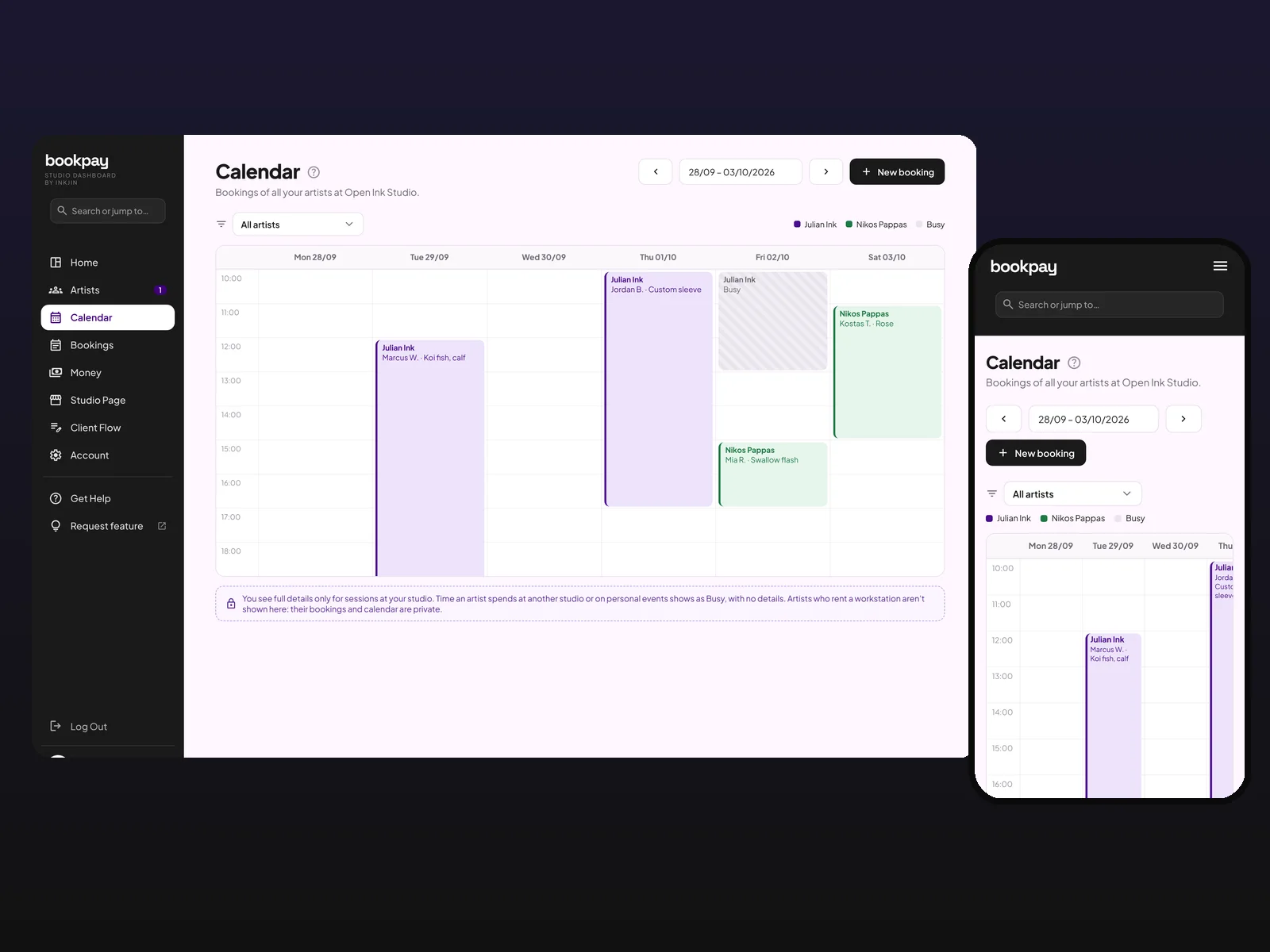
A studio page clients can book from.
Your studio page shows your location, your artists and their work. Clients pick an artist and book, and the booking goes to that artist with the studio split applied.
More about the studio page →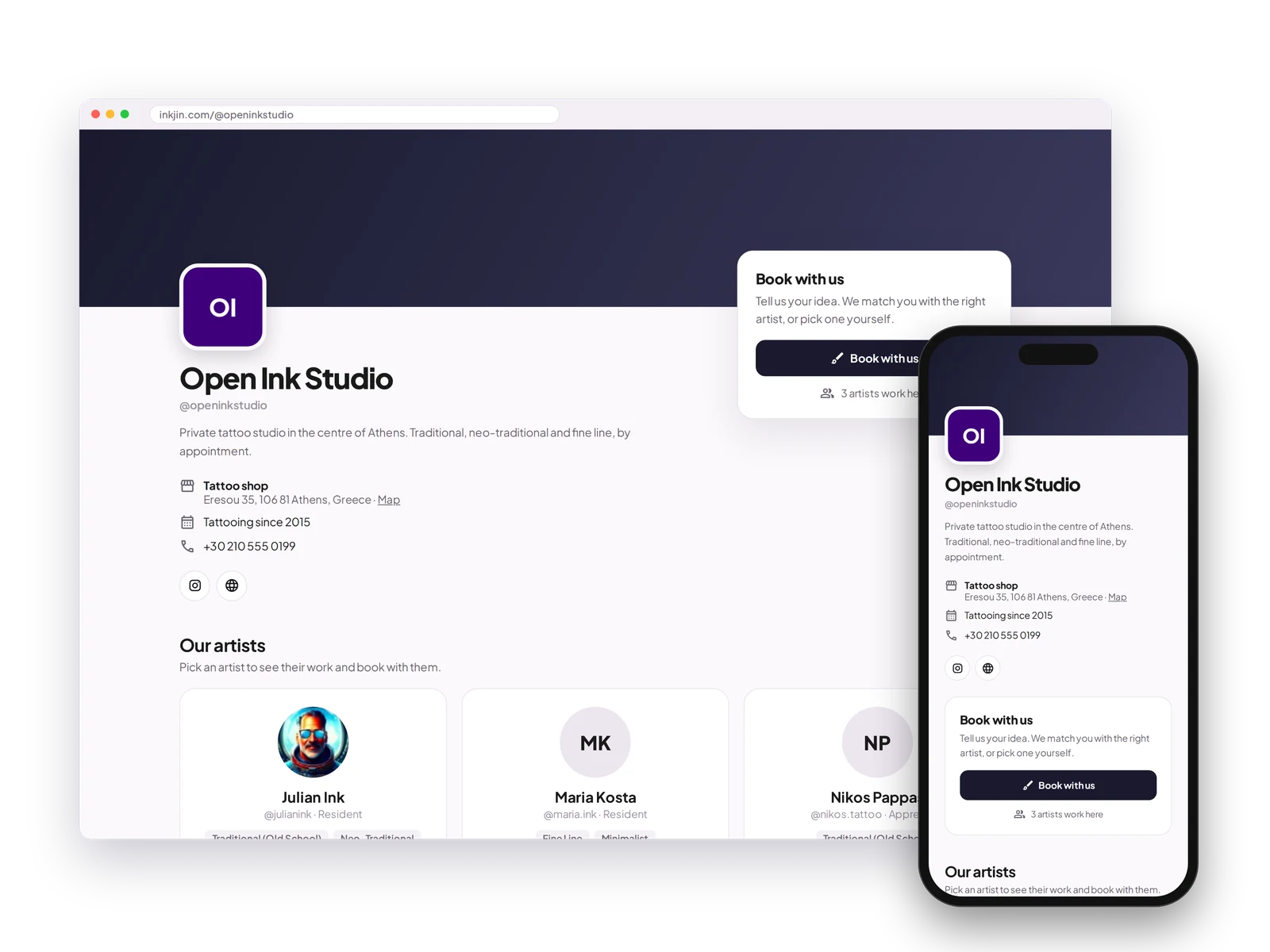
New booking and walk-ins.
Make a payment link for any artist from the dashboard. Choose the artist, the amount and a free time, or "Walk-in, now". Show the QR code and the client pays on their phone. The booking goes into the artist's calendar.
More about walk-ins →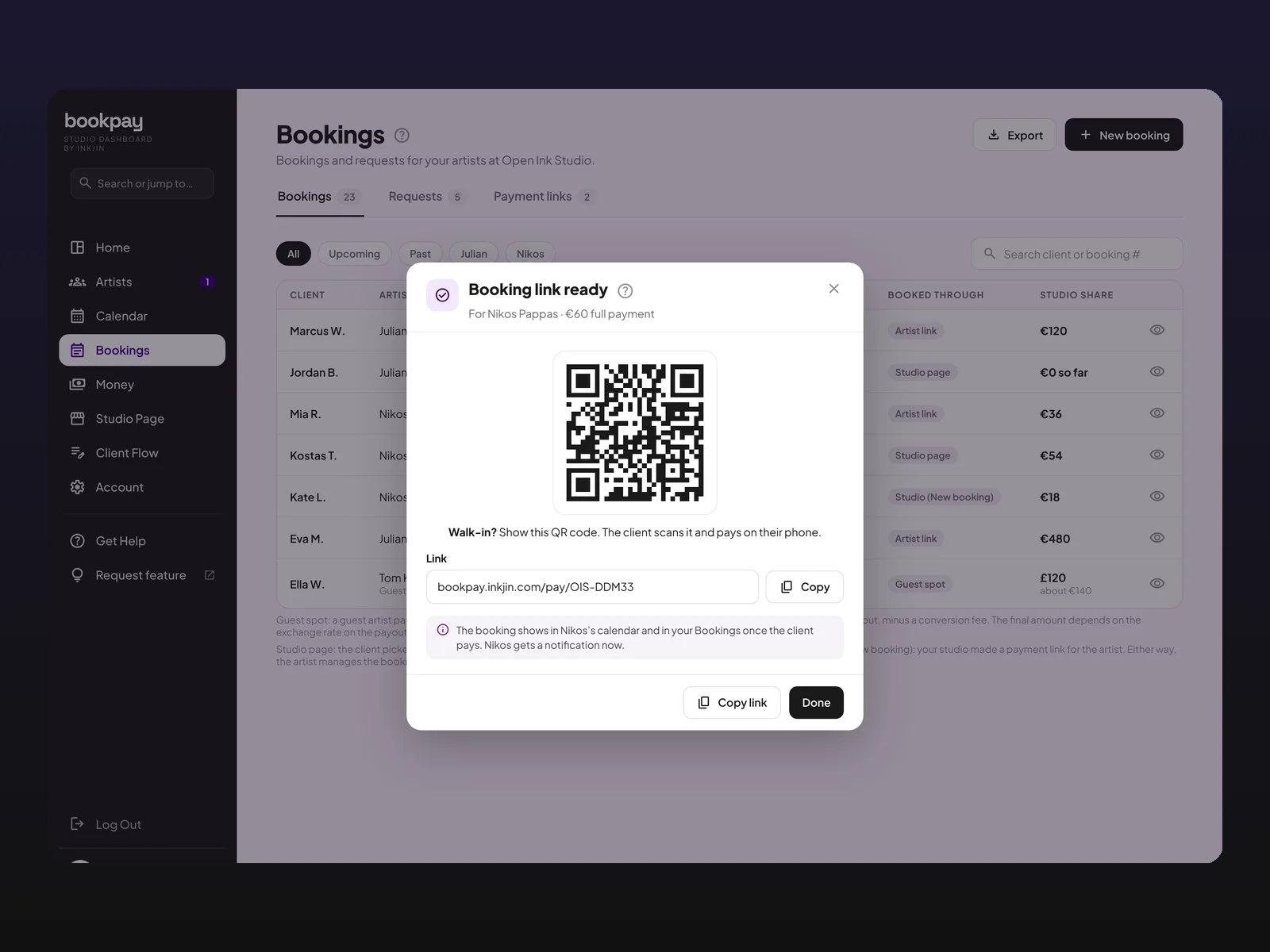
Tell us what kind of studio you are.
Choose private studio, tattoo shop, home studio or collective, then add your address, logo and contact details. Artists see these details but cannot change them, and they print on consent forms and booking emails for sessions at your studio.
Know what the studio gets from every booking.
Studio Money shows each booking, the split, your share, your part of the Stripe fee and what the studio gets. Open a row to see the full breakdown, including what the artist gets. When your studio takes a balance in cash, the artist's share shows under To pay your artists until you mark it paid. Your share is paid to your Stripe account automatically when each cancellation window ends, and you can export the list as CSV.
How revenue split works →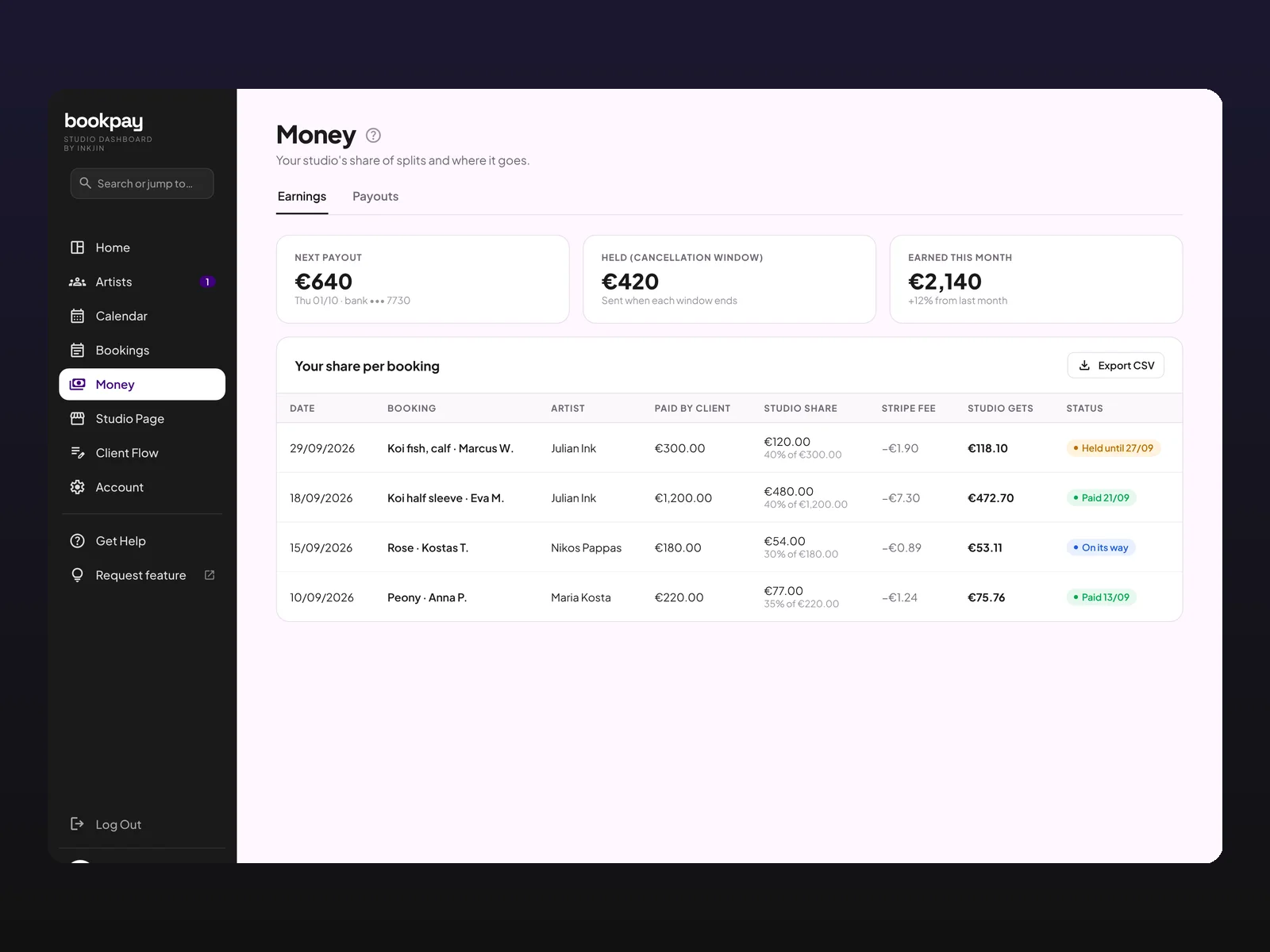
Bookpay for Studios FAQ
Is Bookpay free for studios?
Yes. No monthly fee, no commission and no booking fee, with up to 6 artists. A client always books with an artist. With a revenue split, the artist and the studio each pay their own part of Stripe's processing fee.
Do my artists need their own account?
Yes. Each artist has their own Bookpay account and booking page. Invite them by email, or they can ask to join your studio from their dashboard.
Who manages the bookings?
Each artist manages their own bookings. Your studio can reschedule and cancel the bookings it brought in (your studio page, New booking and walk-ins), and collect the balance on any booking with a revenue split, by payment link or in cash at the desk. The artist is told every time, and a balance can only be collected once.
Can artists who rent a workstation use it?
Yes. Choose workstation rent (direct payment). The artist is paid 100% and settles rent with you outside Bookpay.
What about guest artists?
Add them for the dates of their guest spot. They can be paid directly or split with you, set per guest spot.
An artist works at two studios. Is that a problem?
No. The artist picks which days they work at each studio, and each studio has its own split. You only see details of sessions at your studio.
What happens when a client picks "Any available artist"?
The request waits in Bookings until you assign an artist. The artist replies to the client, or sends it back to you.
Can my studio sign up on its own?
Yes. Sign up and choose "A studio". An artist can also invite your studio, and you finish your studio profile from the invite.
Bring your whole studio.
Invite your artists, set the splits, and let Bookpay handle the money.
Sign up as a studio →