One consent form for your whole studio.
Use the same consent form for every session at your studio, whatever link it was booked through, including walk-ins and guest artists. It is the same form and editor your artists have.
Sign up as a studio →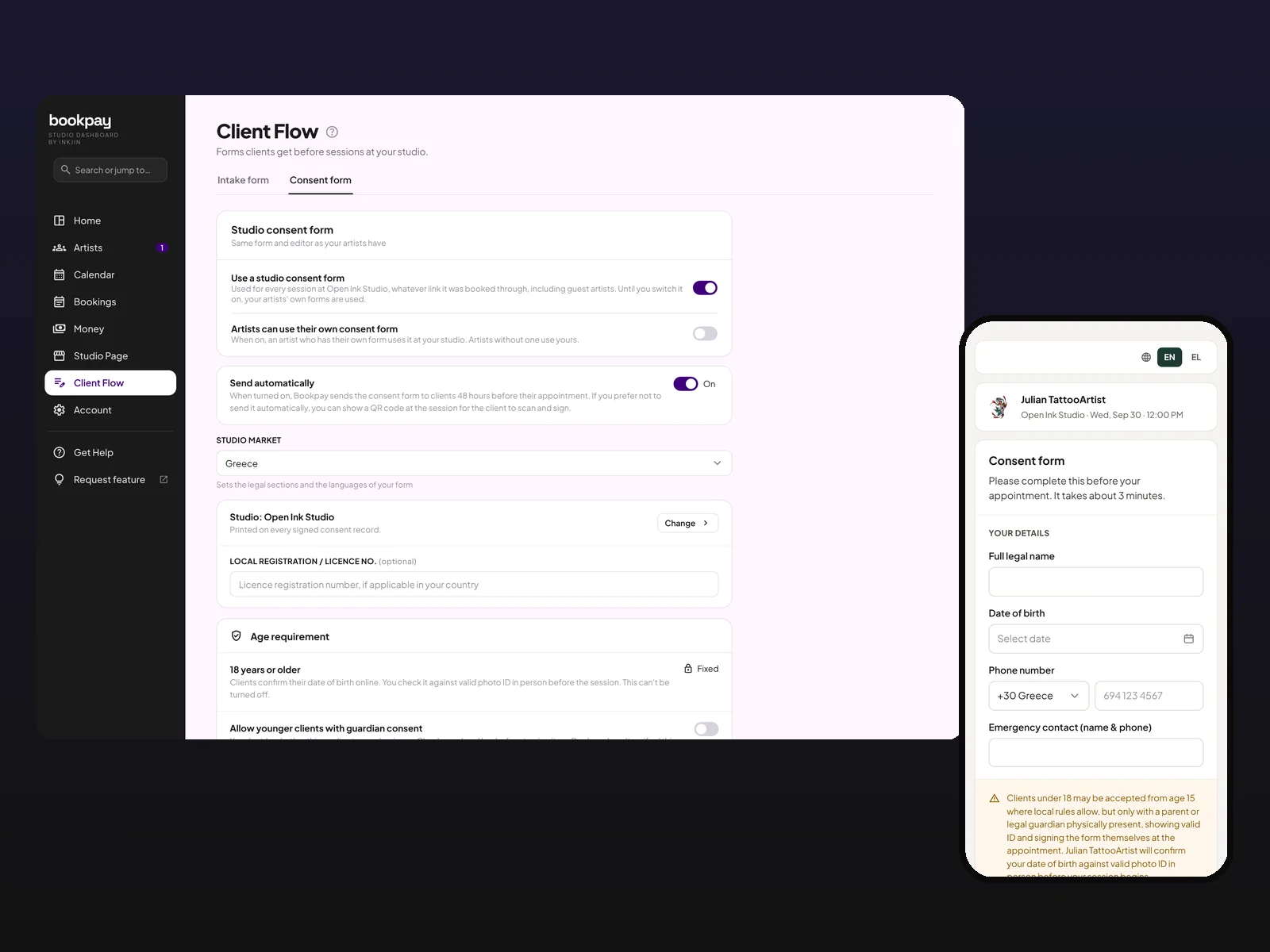
Studio consent form
One form for every session at your studio, including guest artists and walk-ins.
Or their own
Let artists who have their own form keep using it. Artists without one use yours.
Sent automatically
Clients get the form 48 hours before their appointment.
Or a QR code
Show a QR code at the session, and the client scans and signs on their phone.
Set for your market
Your country sets the legal sections and the languages of the form.
Your own questions
Edit the health, risk and aftercare items, reorder them, add your own.
Switch it on, or keep your artists' own.
Turn on the studio consent form and it is used for every session at your studio, whatever link it was booked through, including guest artists. Until you switch it on, your artists' own forms are used.
If you let artists use their own form, an artist who has one uses it at your studio, and artists without one use yours.
Bookpay sends the form to clients 48 hours before their appointment. If you prefer not to send it automatically, show a QR code at the session for the client to scan and sign.
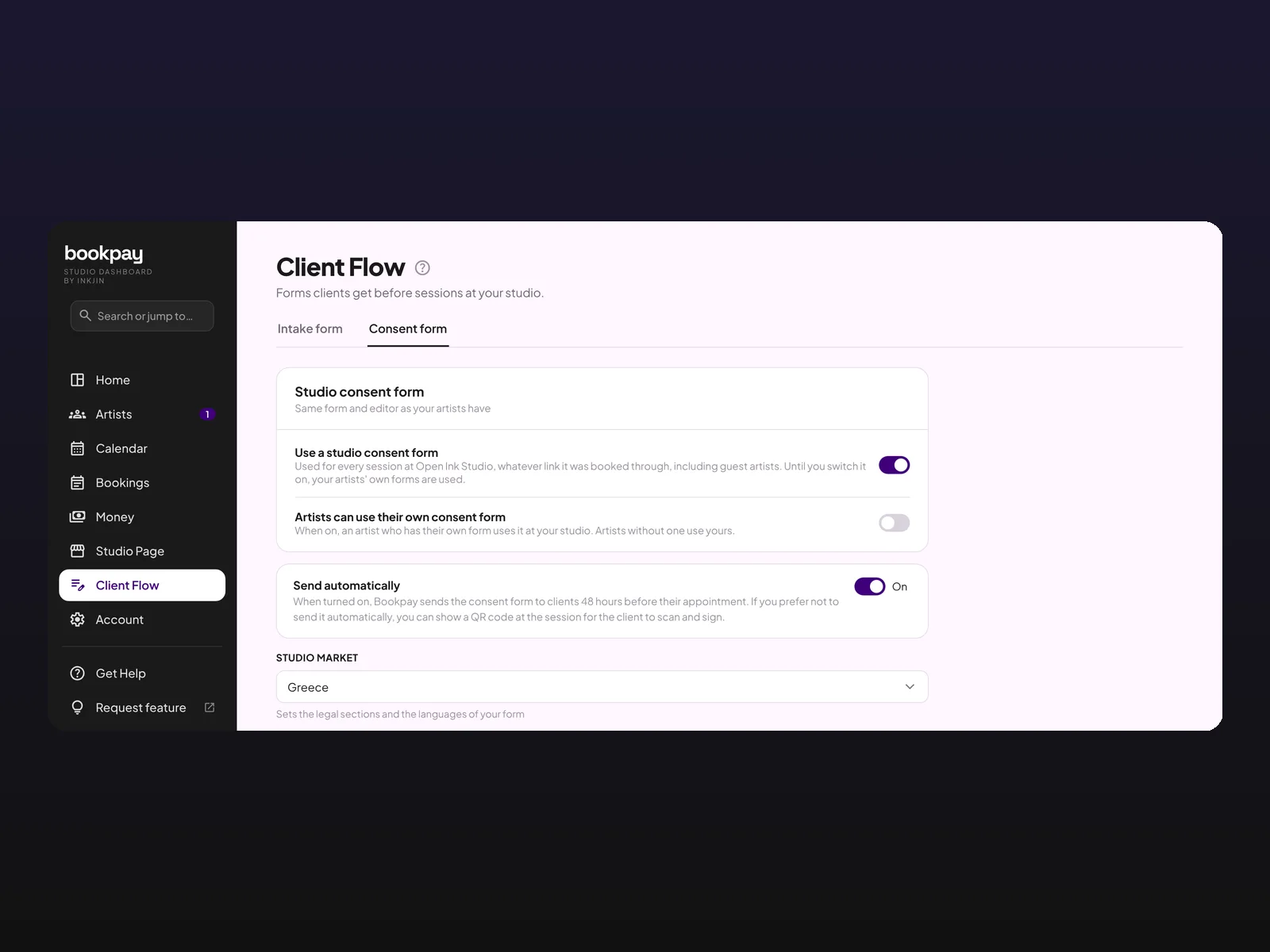
Set it up for your market.
Choose your studio's market. It sets the legal sections of the form and its languages. Your studio name is printed on every signed consent record, and you can add a local registration or licence number if your country has one.
Clients confirm their date of birth online, and you check it against valid photo ID in person before the session. The 18 or older rule is fixed. You can allow younger clients with guardian consent if it applies to your business. Check your local law before you turn it on: Bookpay has not verified it for your market.
Offer both languages when your market has two, and clients choose between them. Each language shows how much of the form is translated.
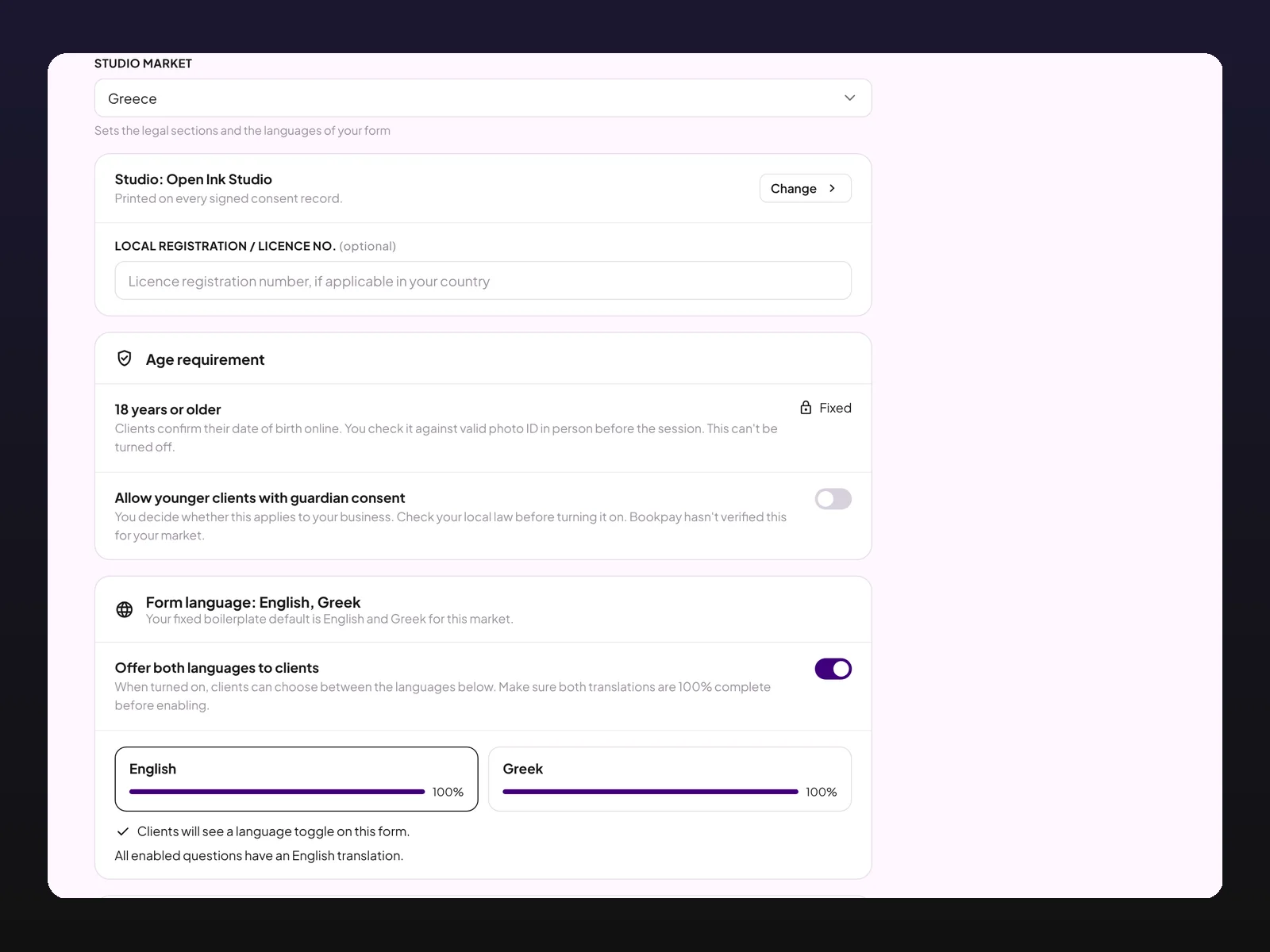
Choose the questions.
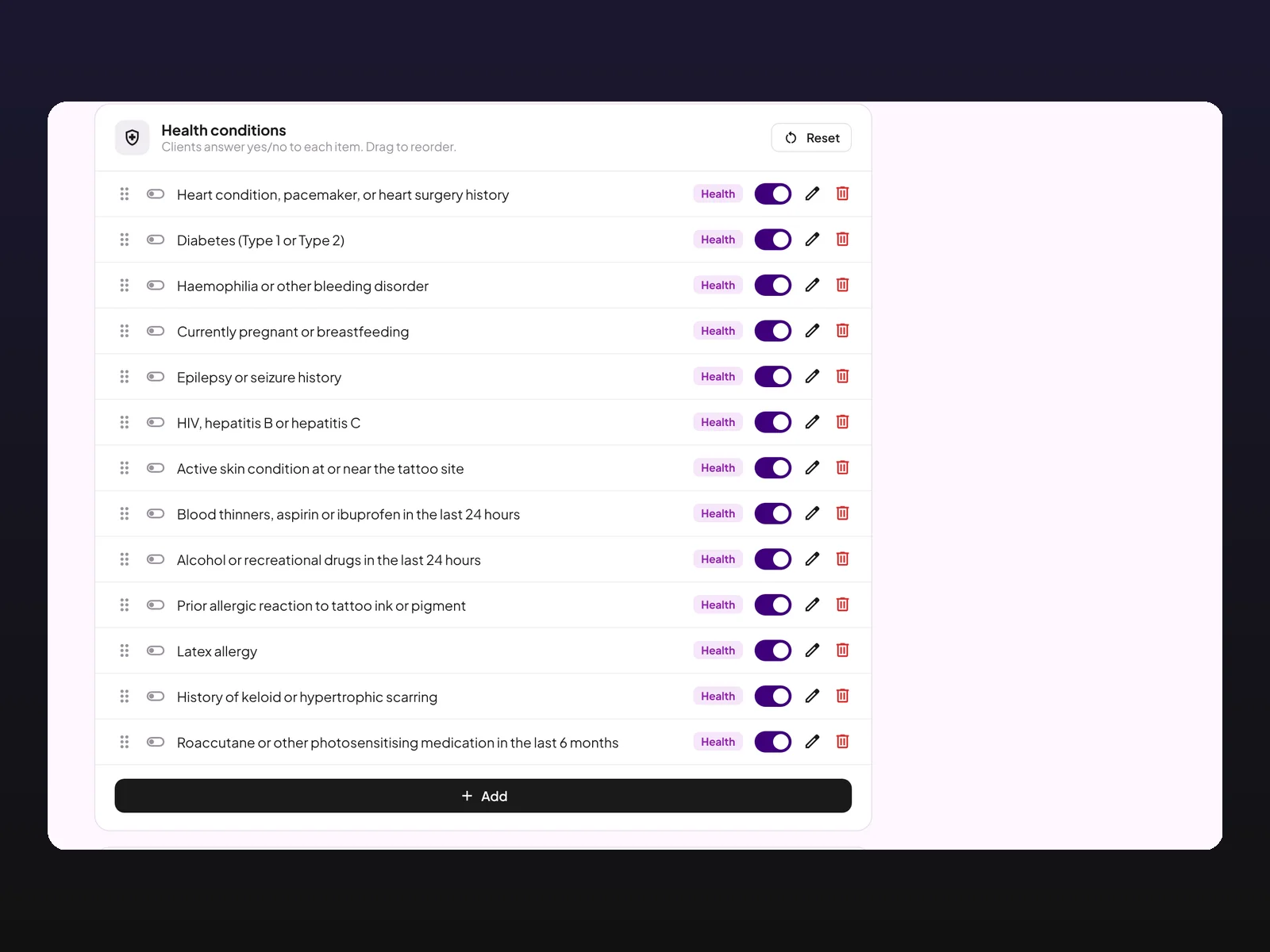
Clients answer yes or no to each health condition. Drag to reorder, switch items off, edit them, delete them or add your own, and reset the list whenever you like.
The risks clients acknowledge and the aftercare steps in the signed record work the same way.
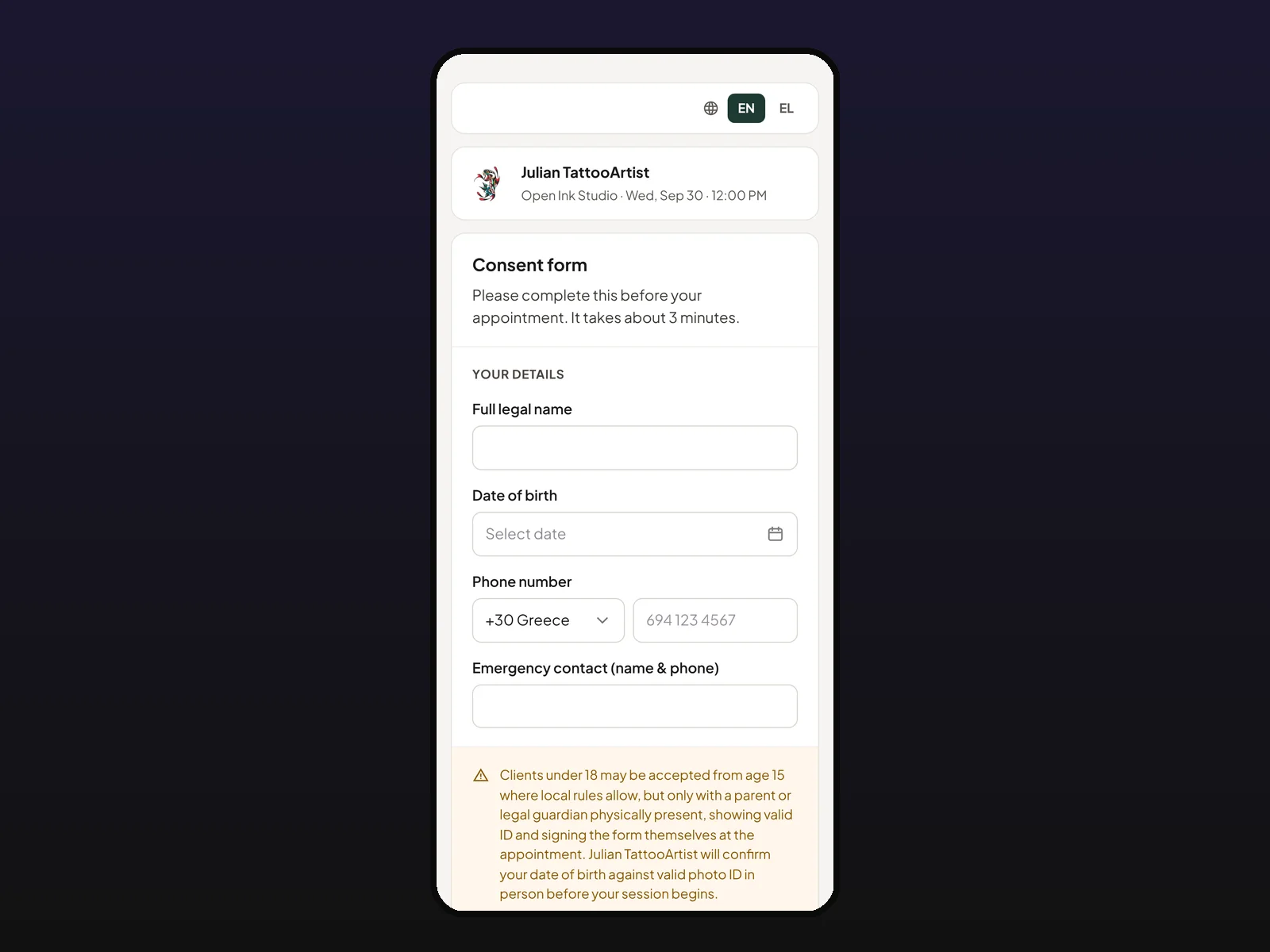
Clients sign on their phone.
The form opens on the client's phone, shows the artist, the studio and the date, and takes about three minutes. Walk-ins scan the QR code and sign on the spot, before the session.
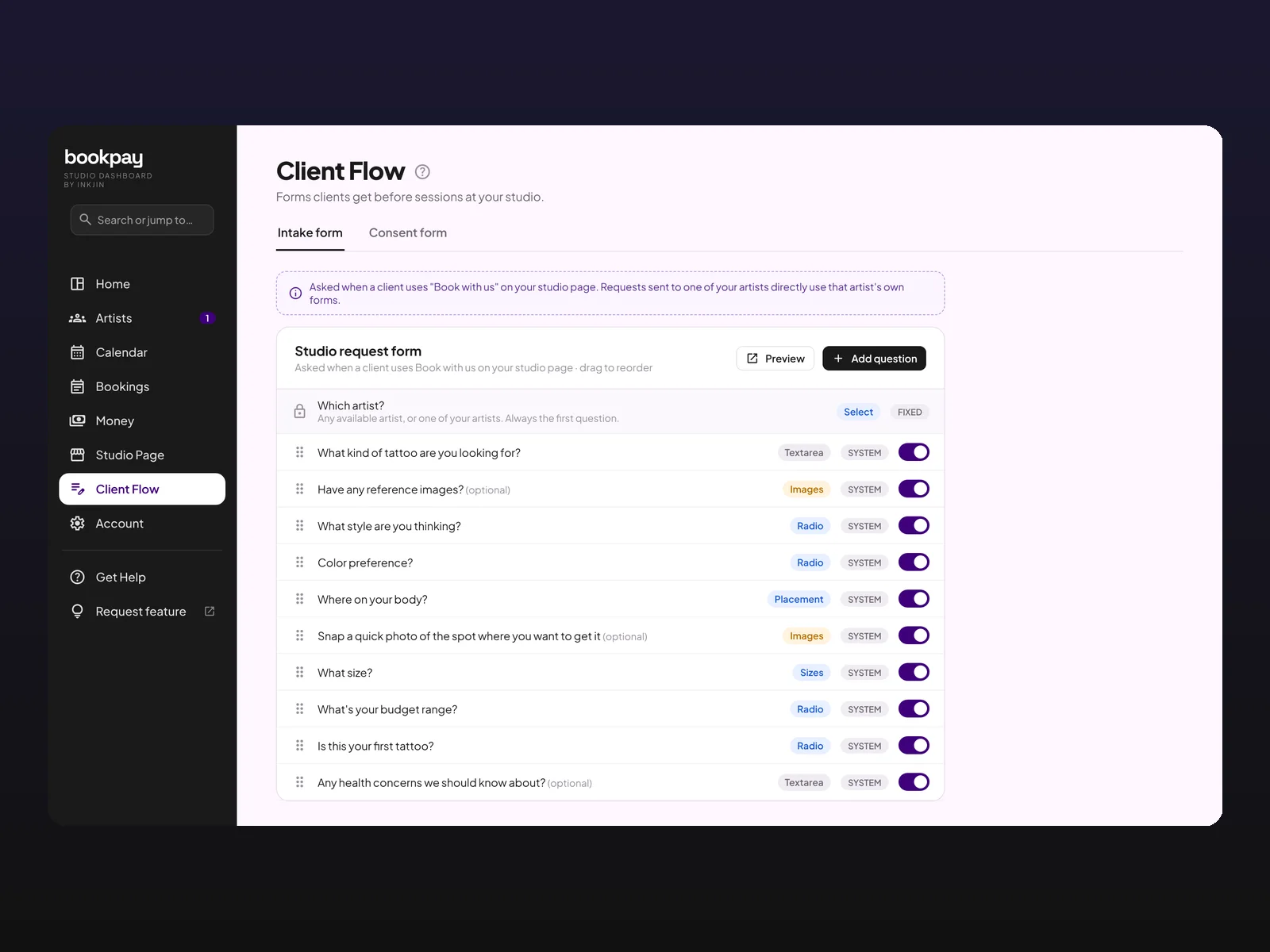
The Book with us request form.
Clients who use Book with us on your studio page answer your studio request form: which artist (any available artist, or one of yours, always the first question), the tattoo they want, reference images, style, color, placement, size and budget, whether it is their first tattoo, and any health concerns.
Add questions, reorder them and preview the form. Requests sent straight to one of your artists use that artist's own forms.
Studio Consent Forms FAQ
Do my artists have to use the studio form?
No. Until you switch the studio form on, your artists' own forms are used. Once it is on, you can still let artists who have their own form use it at your studio.
Does it cover walk-ins and guest artists?
Yes. The studio form is used for every session at your studio, whatever link it was booked through. Walk-ins scan a QR code and sign on the spot.
Can I edit the questions?
Yes. Switch health, risk and aftercare items on or off, edit them, reorder them and add your own. Reset puts the original list back.
What about clients under 18?
The 18 or older rule is fixed, and you check valid photo ID in person before the session. You can allow younger clients with guardian consent if it applies to your business, but check your local law first.
Which languages does the form come in?
Your studio's market sets the languages. When your market has two, you can offer both and clients choose between them.
One form, every session.
Set it up once and every client signs before they sit.
Sign up as a studio →