A studio page that books your artists.
Your studio at inkjin.com/@yourstudio: your location, your artists and their work, and a Book with us button that sends each request to the right artist.
Sign up as a studio →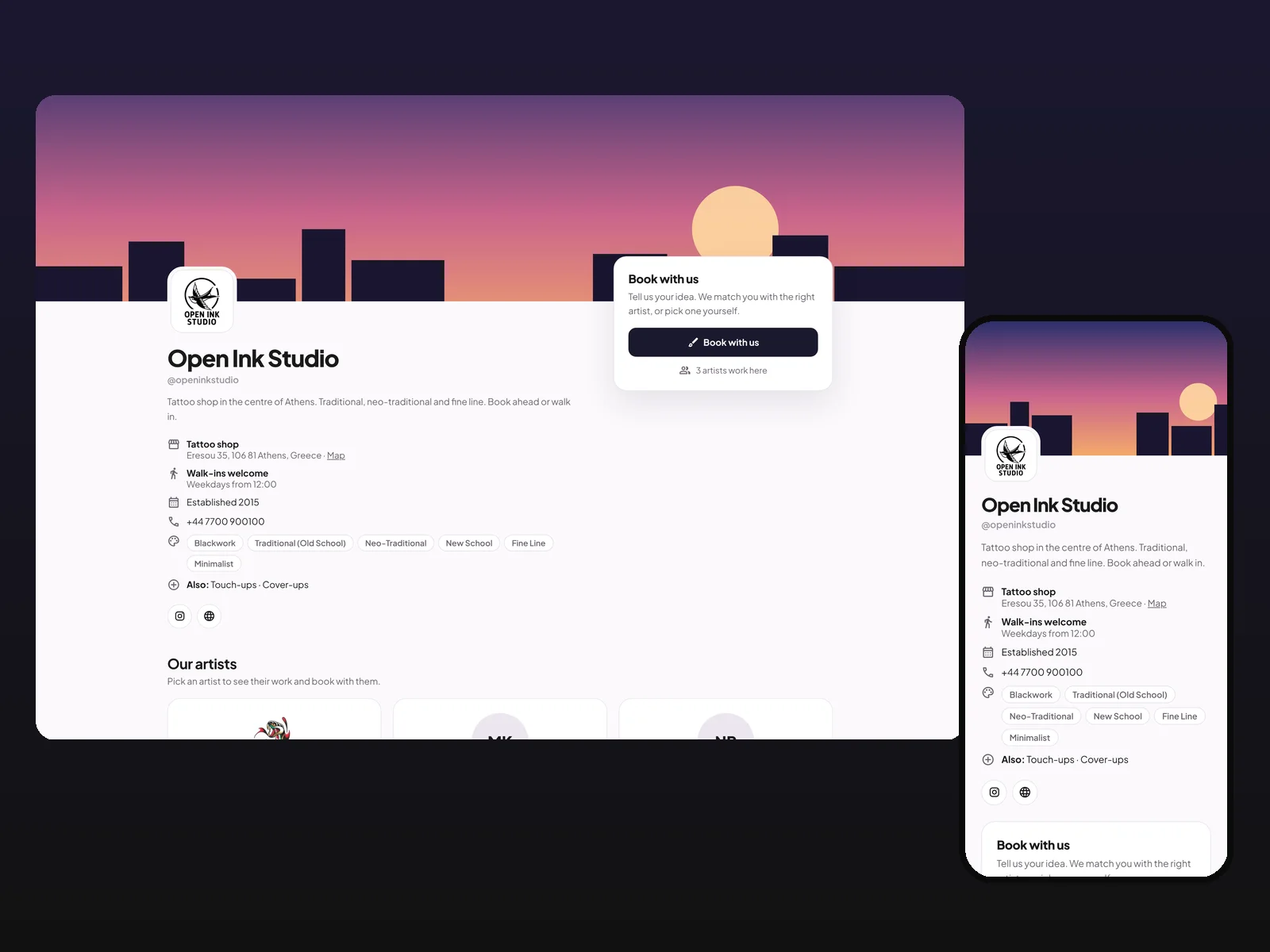
Your own link
inkjin.com/@yourstudio, ready for Instagram, Google and your website.
Your artists
Each artist with their handle, role and styles, and buttons to request a custom tattoo or see their designs. Show guest artists too, if you want.
Book with us
Clients tell you their idea and you match them with the right artist, or they pick one themselves.
Studio details
Studio type, address with a map, phone, year established, walk-in hours, your styles and social links.
Our work
Your artists' flash designs and portfolio pieces show automatically. Add the studio's own pieces from Instagram too.
Banner and colors
Add a banner image, pick one of six color schemes or use your own brand color.
Guest artists
Visiting artists show with their dates and a Reserve button.
Find us
Your address with a map and directions, and your phone number.
Edit it from your dashboard.
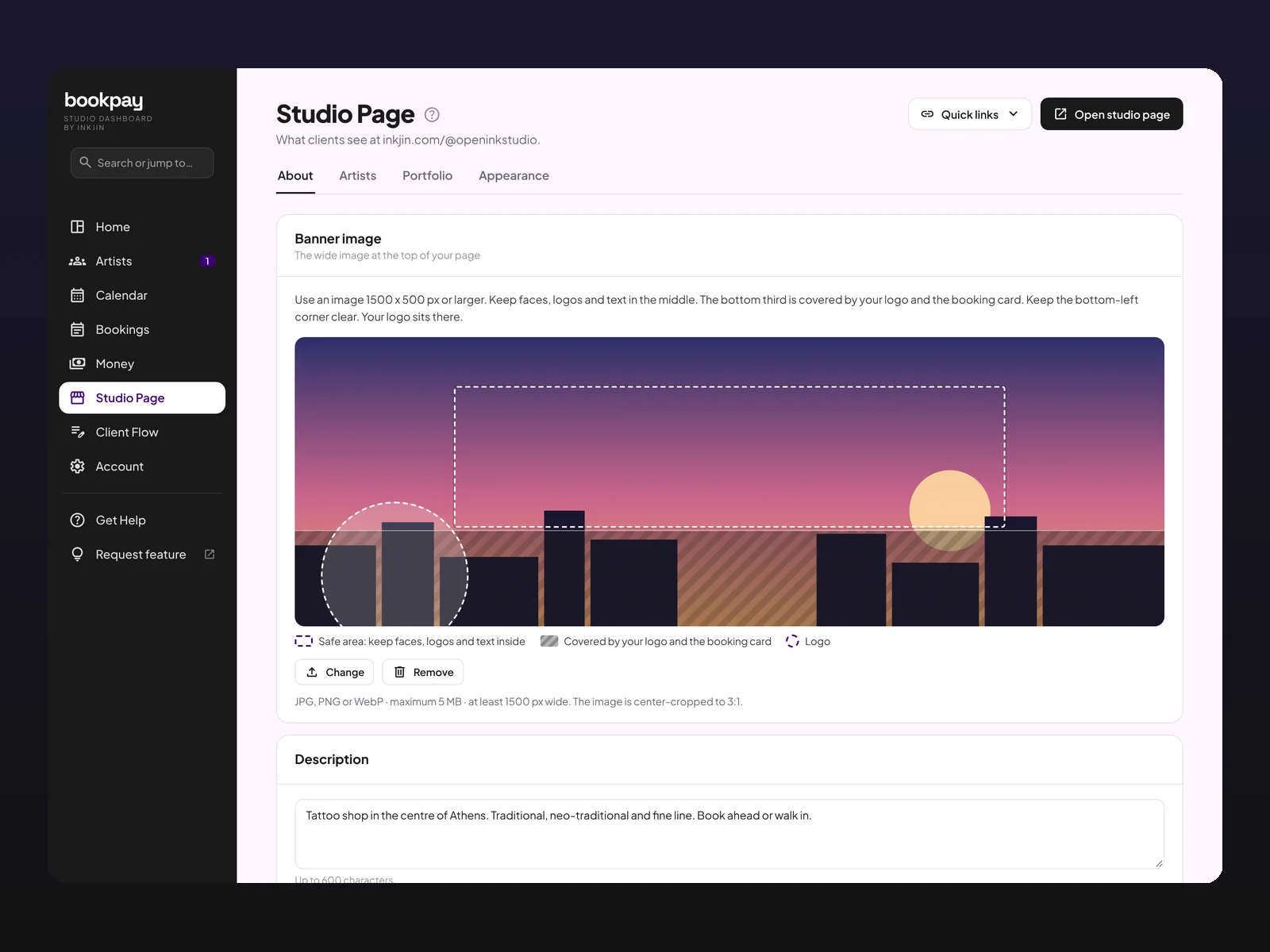
About: upload a banner, write your description (up to 600 characters), and choose whether to show a map and your social links. Name, address, logo and contact come from your studio details.
Artists: show or hide guest artists, then drag your artists into the order you want and show or hide each one. Only artists you accepted can show.
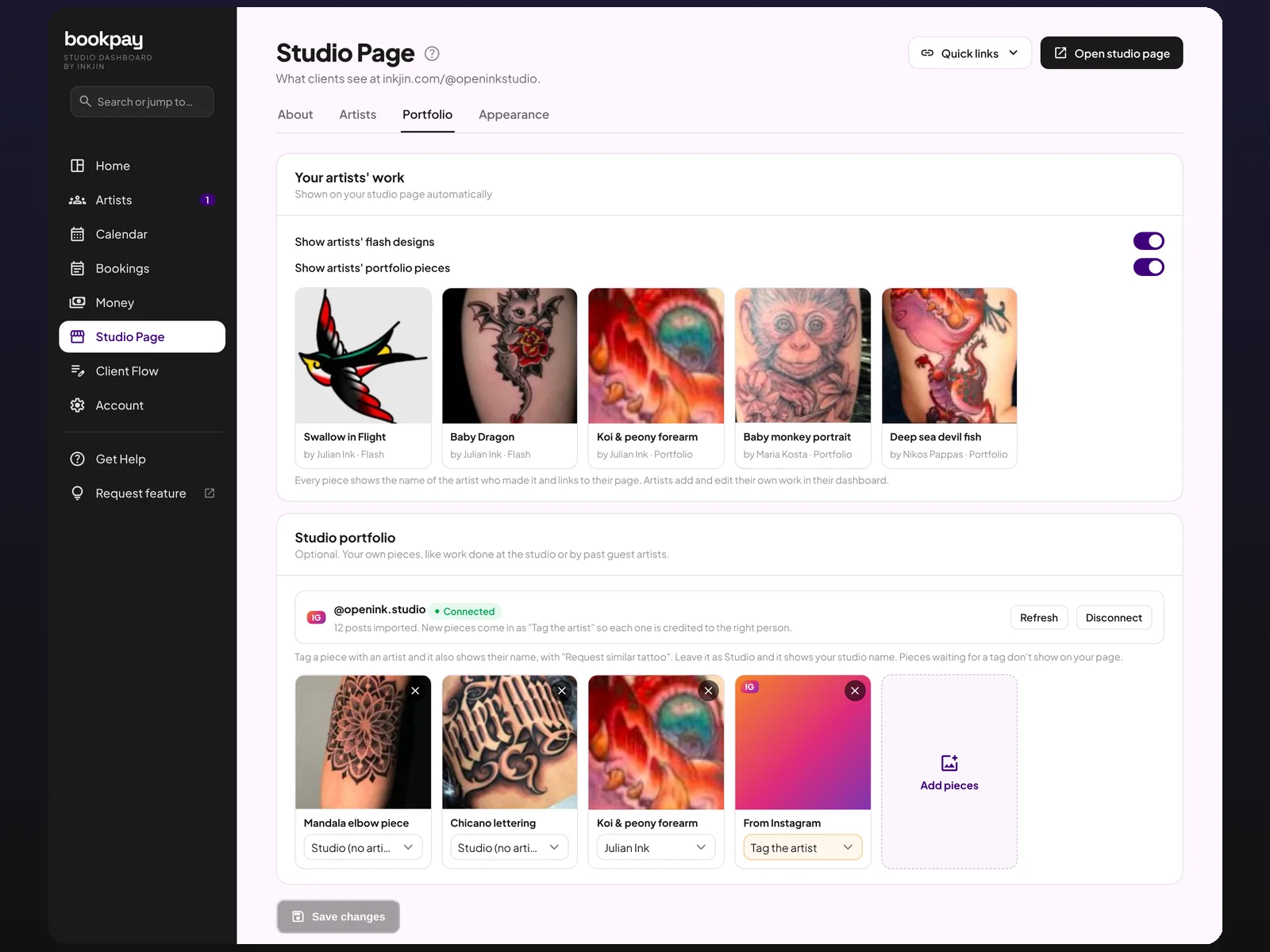
Show your artists' work, and your own.
Flash designs and portfolio pieces from your artists show on your studio page automatically. Each piece shows the name of the artist who made it and links to their page. Artists add and edit their own work in their dashboard.
Want to show the studio's own work, like pieces done at the studio or by past guest artists? Connect the studio's Instagram. New pieces come in as "Tag the artist", so each one is credited to the right person. Pieces waiting for a tag don't show on your page.
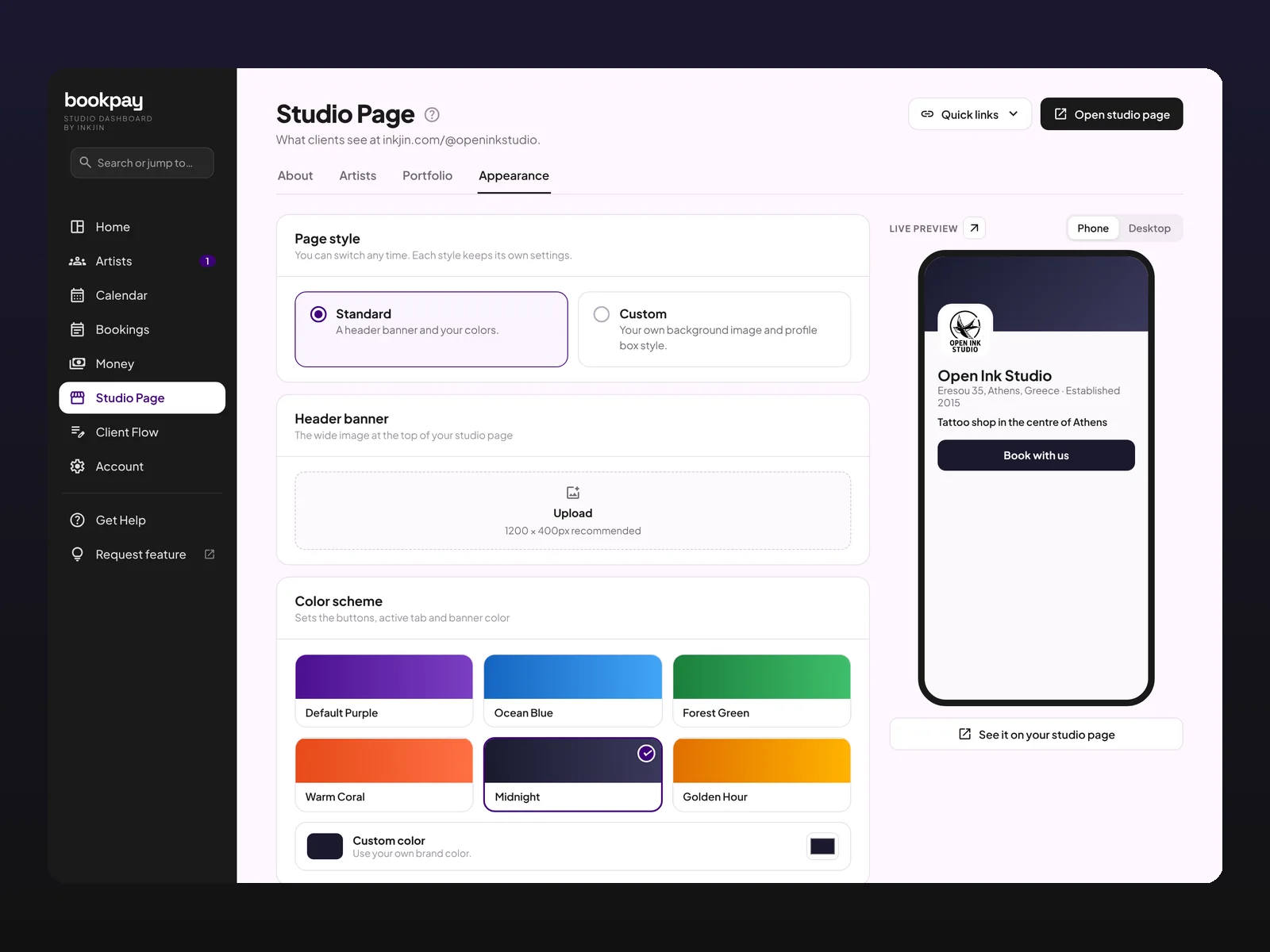
Make it look like your studio.
Choose Standard (a header banner and your colors) or Custom (your own background image and profile box style). Pick one of six color schemes, or enter your own brand color, and preview it on a phone or desktop before you save.
Studio Page FAQ
What is the address of my studio page?
inkjin.com/@yourstudio, with the name you choose.
What happens when a client books from the studio page?
The booking goes to the artist, with your studio split applied. You see it in Bookings, marked "Studio page". A client who picks "Any available artist" waits in Requests until you assign one.
Do my artists keep their own booking pages?
Yes. Each artist keeps their page at inkjin.com/@theirname. Bookings there for sessions at your studio use the same split.
Can I hide guest artists?
Yes. Turn Show guest artists on or off.
Which artists show on my studio page, and in what order?
The artists you accepted. Drag them into the order you want, and show or hide each one.
Can I show the studio's own work, not only my artists' work?
Yes. Connect the studio's Instagram and tag each piece with an artist, or leave it as the studio's own. Pieces waiting for a tag don't show on your page.
Give your studio its own page.
Set it up in minutes and share one link for the whole studio.
Sign up as a studio →