Custom tattoo intake forms to get the right details, every time.
Build your forms in seconds with the drag-and-drop editor. Keep separate forms for your flash designs and your custom requests.
Build your form →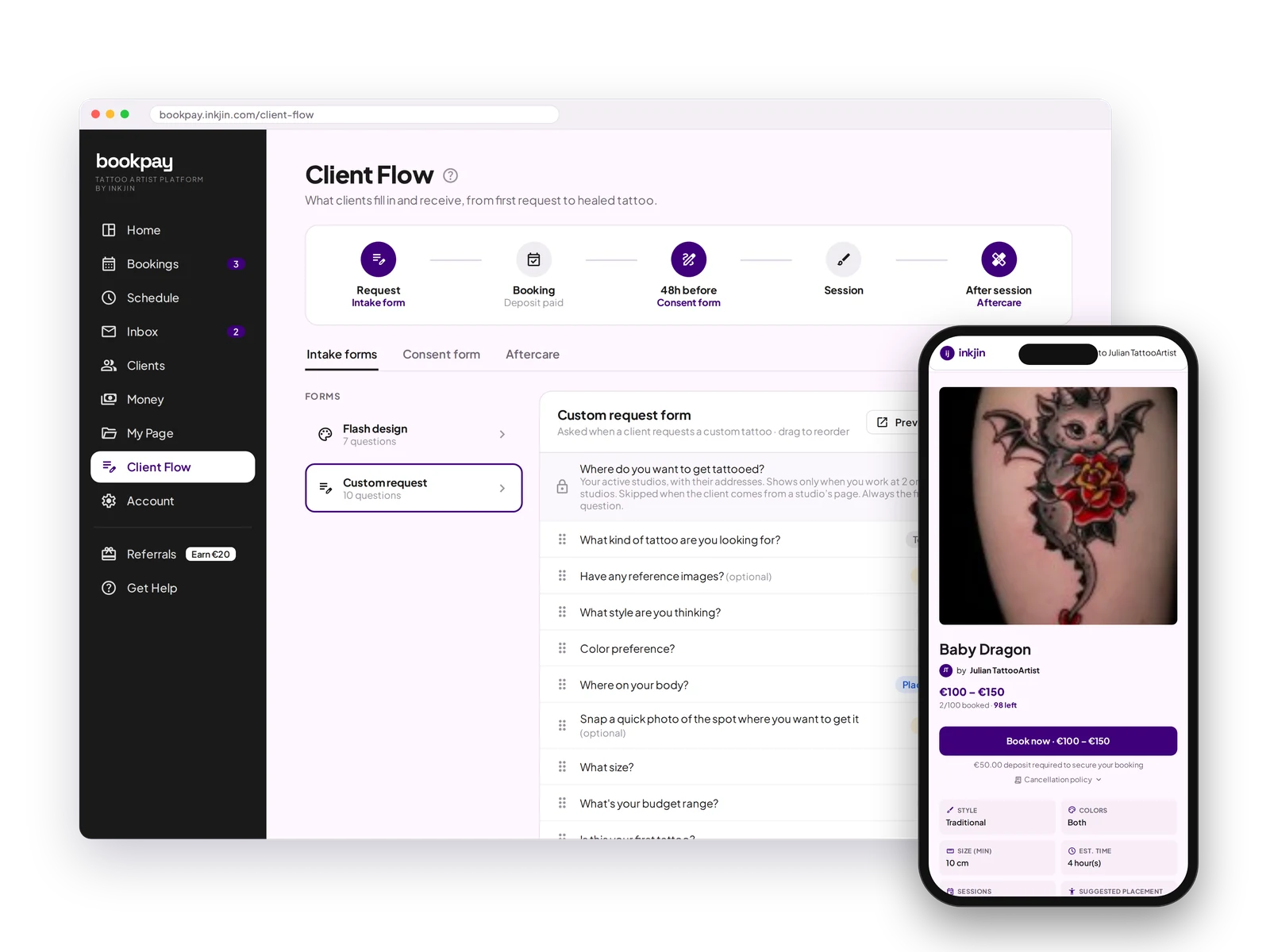
Drag-and-drop builder
Add, remove or reorder questions in seconds. No tech skills needed.
Flash vs Custom
Separate forms for flash and custom work, so clients only answer what matters.
Pre-built questions
Start right away with smart defaults, then change every field to make the form yours.
Your own questions
Add anything else you need: first tattoo, allergies, skin type, budget.
One client flow
See every step clients go through, from request to deposit, consent form and aftercare.
Custom Intake Forms FAQ
Do I need any tech skills to build a form?
No. The drag-and-drop builder lets you add, remove and reorder questions in seconds.
Can I use different forms for flash and custom work?
Yes. Flash and custom bookings each get their own intake form, so clients only answer what is relevant.
Do I have to start from scratch?
No. Pre-built questions get you started right away, and you can change every field from there.
Can I add my own questions?
Yes, anything you want: first tattoo, allergies, skin type, budget, or anything specific to your work.
The right questions, asked automatically.
Set your form up once. Every client after that answers the same way.
Open your books →